System Calls, Binary Images and Processes - How a Program Reaches the Kernel
A user program never touches a disk, a network card or another process’s memory directly. Every one of those operations goes through a system call: a controlled entry point into the kernel, triggered by a software interrupt, with the request number and the arguments placed in registers according to a convention the platform’s ABI fixes once and for all. Above that thin interface sits the libc, and above the libc the higher-level functions most code calls, so that fopen() ends up as an open system call without the programmer ever writing an svc instruction.
The program issuing that call is itself the product of a toolchain. A compiler turns each source file into an object file that only knows relative and symbolic addresses; a linker merges those object files with static libraries into an executable image (ELF on Linux, PE on Windows) laid out in sections; and the operating system loads that image into memory, resolves the addresses into absolute ones, and wraps the result in a process: an execution context, a memory context and a set of logical resources such as file descriptors.
This article covers those three subjects in that order, following the third lecture of the HEIG-VD operating systems course (SYE), which uses the teaching kernel SO3 on ARM as its running example. The register conventions of Linux on ARM and x86-64 are given alongside for comparison.
Source and currency note. This article is based on the lecture SYE - S3 Appels systèmes, image binaire et processus (DR, FG, MZ, HEIG-VD, 2020). The material targets 32-bit ARM and the SO3 teaching kernel. The mechanisms described (software-interrupt-based system calls, the compile/link/load pipeline, the process memory sections) are unchanged on current systems; where 64-bit ARM or x86-64 Linux use a different instruction or register set, the difference is stated explicitly. The UNIX/Win32 comparison summarised from the lecture describes the Win32 API of the early 2000s, and its “not supported” entries are annotated accordingly.
This article has been made with the help of Claude Code and several custom skills
System calls
Definition
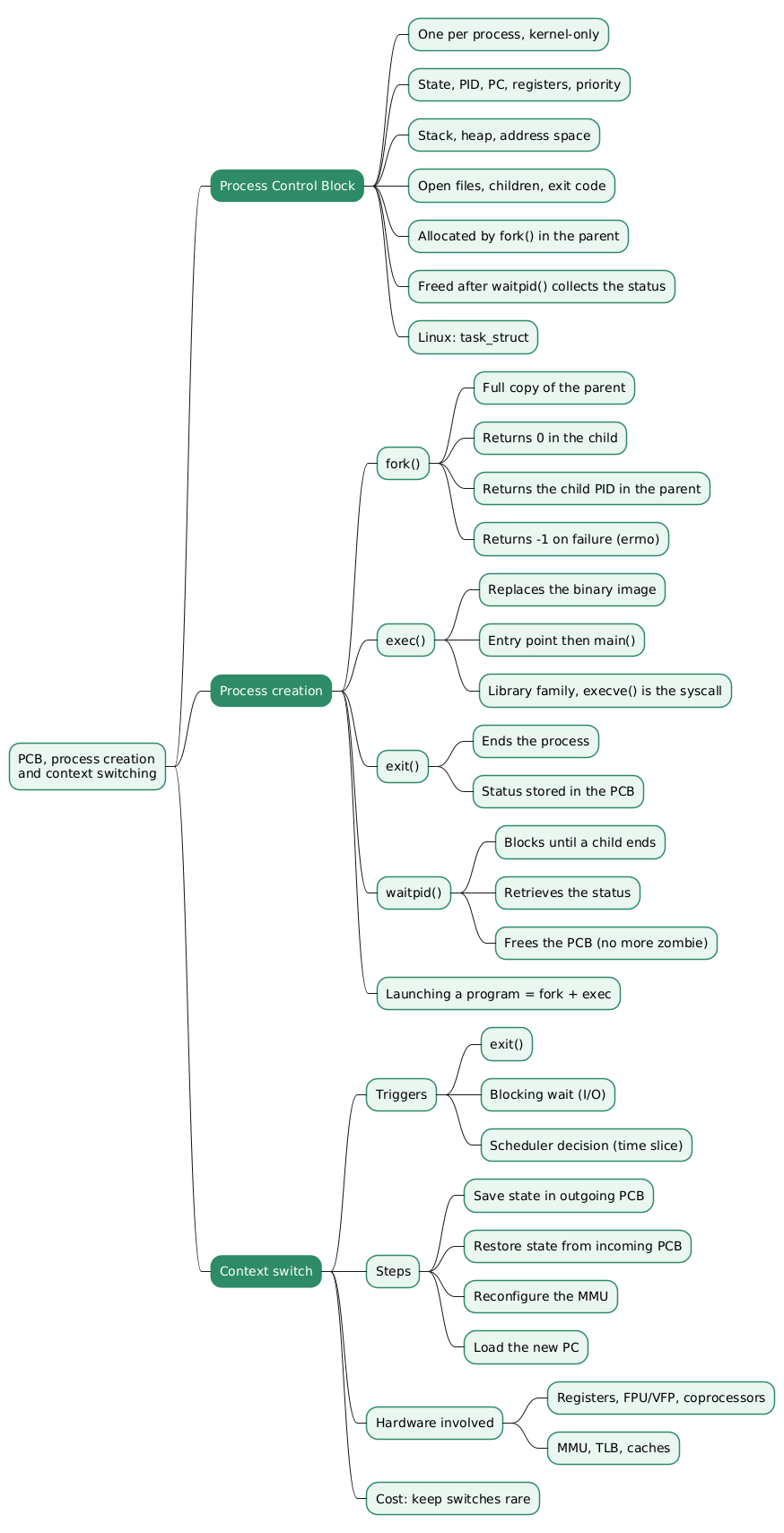
A system call (syscall) is, from the programmer’s point of view, a C function that gives access to a service the operating system provides: allocating memory, reading or writing a file, talking to a device, taking a lock, launching a new program. From the processor’s point of view it is a software interrupt: an instruction that deliberately raises an exception so that the CPU switches to privileged mode and jumps to a handler the kernel installed at boot.
On ARM that instruction is svc (supervisor call, formerly spelled swi). The lecture shows the disassembly of the write stub in the user-space library of SO3:
0000102c <sys_write>:
    102c:   push    {r7, sl, fp}
    1030:   mov     r7, #5
    1034:   ldr     sl, [pc, #1488]   ; 160c <ps+0x20>
    1038:   mov     fp, #0
    103c:   str     fp, [sl]
    1040:   svc     0x00000000
    1044:   pop     {r7, sl, fp}
    1048:   mov     pc, lr
Three things happen in those eight instructions. The system call number, 5 for write in this build of SO3, is loaded into r7. A per-process variable, most likely the error indicator that the kernel will set on failure, is cleared through sl. Then svc 0 traps into the kernel; when the handler returns, the saved registers are restored and the stub returns to its caller with the kernel’s result in r0. The arguments fd, buf and count are not visible in the listing because the C calling convention already placed them in r0, r1 and r2 before the stub was entered, and the stub simply leaves them there.
Examples of system calls
The lecture reproduces a comparison of UNIX and Win32 calls that summarises what a kernel typically exposes. The rows the lecture singles out are process creation and the four basic file operations.
| Area | UNIX calls | Win32 counterparts | Remark |
|---|---|---|---|
| Process lifecycle | fork, execve, waitpid, exit |
CreateProcess, WaitForSingleObject, ExitProcess |
Win32 has no execve; CreateProcess does the work of fork followed by execve in one call |
| Basic file I/O | open, close, read, write, lseek, stat |
CreateFile, CloseHandle, ReadFile, WriteFile, SetFilePointer, GetFileAttributesEx |
Same operations, different naming; UNIX returns integer descriptors, Win32 returns handles |
| Directories and names | mkdir, rmdir, unlink, link, chdir |
CreateDirectory, RemoveDirectory, DeleteFile, SetCurrentDirectory |
The lecture’s table lists no Win32 equivalent for link |
| File systems and rights | mount, umount, chmod |
(none) | Mounting is not exposed to Win32 programs; permissions go through the NT security API |
| Signals and time | kill, time |
GetLocalTime |
Win32 has no signal mechanism comparable to kill |
Two entries have aged. NTFS has supported hard links since Windows 2000 (CreateHardLink) and symbolic links since Vista (CreateSymbolicLink), so “no links” is no longer accurate. The chmod row reflects the fact that Win32 has no permission bits: access control on NTFS is expressed through discretionary ACLs manipulated with the security API (SetFileSecurity, SetNamedSecurityInfo), which is a different model rather than a missing feature. The point of the table stands: UNIX splits process creation into fork and execve, exposes mounting and signals as first-class calls, and treats almost every resource as a file descriptor.
Mechanism: stub, registers and ABI
A system call therefore has four properties, which the lecture lists and the rest of this section develops:
- it involves a reserved software interrupt (
svcon ARM,syscallon x86-64,int 0x80on legacy 32-bit x86); - arguments are passed through registers, the stack, or both;
- user code never emits the interrupt itself but calls a stub, a small function in user space that sets up the registers and traps;
- the whole arrangement, which register holds the call number, which hold the arguments, where the result comes back, is a calling convention fixed by the Application Binary Interface (ABI) of the platform.
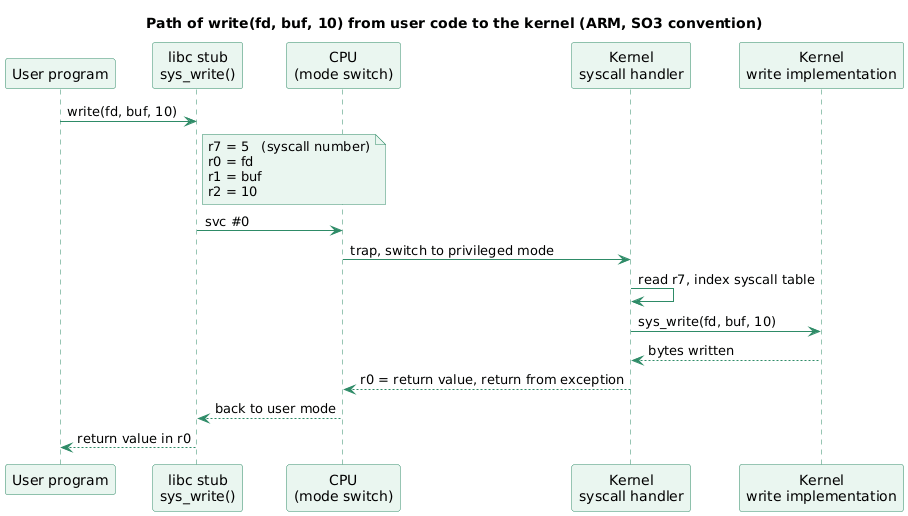
The lecture illustrates the convention with write(fd, buf, 10) on SO3 for ARM. The C call reaches the stub with its three arguments already in the first argument registers; the stub adds the call number and traps. The table below sets the SO3 convention next to the Linux conventions a reader is most likely to meet, all of which are documented in the syscall(2) manual page on Linux.
| Item | SO3 on ARM (lecture) | Linux ARM EABI (32-bit) | Linux AArch64 | Linux x86-64 |
|---|---|---|---|---|
| Trap instruction | svc #0 |
svc #0 |
svc #0 |
syscall |
| System call number | r7 |
r7 |
x8 |
rax |
Argument 1 (fd) |
r0 |
r0 |
x0 |
rdi |
Argument 2 (buf) |
r1 |
r1 |
x1 |
rsi |
Argument 3 (count) |
r2 |
r2 |
x2 |
rdx |
| Arguments 4 to 6 | not shown in the lecture | r3, r4, r5, r6 |
x3, x4, x5 |
r10, r8, r9 |
| Return value | r0 |
r0 |
x0 |
rax |
The SO3 convention on 32-bit ARM matches the Linux EABI one, which is deliberate: SO3’s user-space library is built so that ordinary ARM toolchains and the standard calling convention work unchanged.
Two details of the Linux conventions trip people up when they write a stub by hand:
- On x86-64 the fourth argument goes in
r10, notrcxas in the ordinary function-call convention, because thesyscallinstruction overwritesrcxwith the return address. - On every architecture, Linux returns errors as a negative errno value in the result register. The libc stub turns
-EBADFinto a return value of-1plus an assignment to theerrnovariable; the kernel itself knows nothing abouterrno.
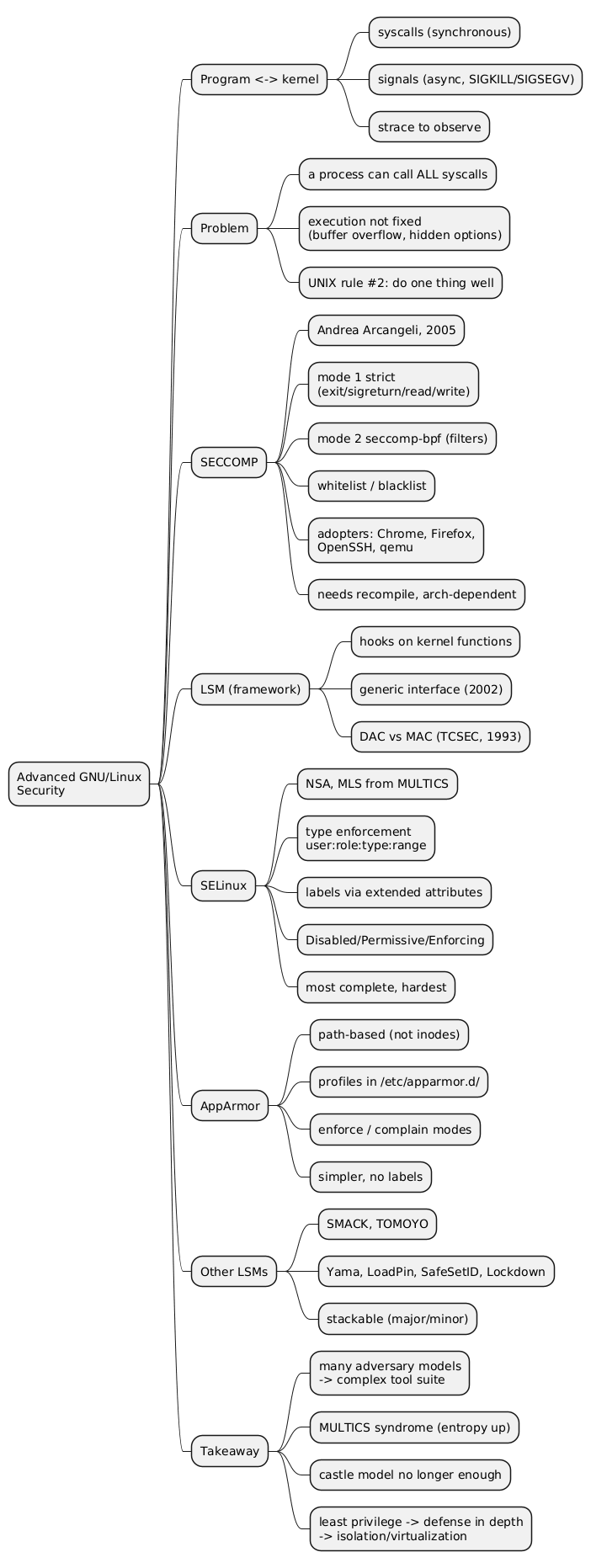
The kernel side of the interrupt is symmetrical. The exception handler saves the user registers, reads the call number, checks it against the size of the syscall table, indexes that table to find the implementation (sys_write in this case), calls it with the arguments copied out of the saved registers, writes the result back into the saved r0, and returns from the exception, which restores user mode. This dispatch point is where every user-to-kernel request converges, which is why mechanisms such as seccomp filter exactly here, on the call number and the argument registers.
The API layers above the system call
Very little application code calls a system call directly. The lecture distinguishes three layers.
- A standardised API. POSIX (Portable Operating System Interface, IEEE Std 1003.1) defines the names, signatures and semantics of the calls (
open,read,fork,waitpid, …) so that source code is portable across UNIX-like systems. Other API families exist alongside it: ANSI C, Win32, the BSD extensions. - The C library. On Linux the functions with system-call names live in the libc, in user space: they are the stubs described above, plus the errno handling. Several libc implementations exist for different constraints: glibc on desktop and server distributions, uClibc (and its successor uClibc-ng) for embedded systems, bionic on Android, musl in Alpine and in many static binaries.
- Higher-level functions. Most library functions encapsulate one or several system calls behind a richer interface.
fopen()callsopenand allocates a bufferedFILEstructure;fread()serves reads from that buffer and callsreadonly when it runs dry;pthread_create()allocates a stack and callsclone. These functions run entirely in user space until they need the kernel.
The distinction matters for performance analysis and for security. A loop calling fread() on small chunks costs a few user-space memory copies; the same loop with read() costs one mode switch per iteration. And a sandbox that filters system calls (seccomp, pledge) sees only the bottom layer: fopen() and open() are indistinguishable to it.
Manual pages
The man pages are the primary documentation of a UNIX or Linux system, organised in numbered sections so that a shell command, a system call and a library function with the same name do not collide. The three sections a programmer uses most are 1 (user commands), 2 (system calls) and 3 (library functions). The invocation is man <section> term, and omitting the section returns the first match in section order, which is a frequent source of confusion.
$ man 2 connect    # the connect system call
$ man open         # the open shell command (section 1 matches first)
$ man 2 open       # the open system call
$ man 3 fopen      # the fopen library function
$ man man          # man itself
On Linux the reference pages for section 2 are maintained in the man-pages project, which is also published online. The syscalls(2) page lists every Linux system call with the kernel version that introduced it, and syscall(2) documents the register conventions per architecture used in the table above.
Building a binary image
From source files to an executable
Before a program can issue a system call it has to exist as a binary image: an executable file in a format the operating system’s loader understands. The lecture describes the classic pipeline.
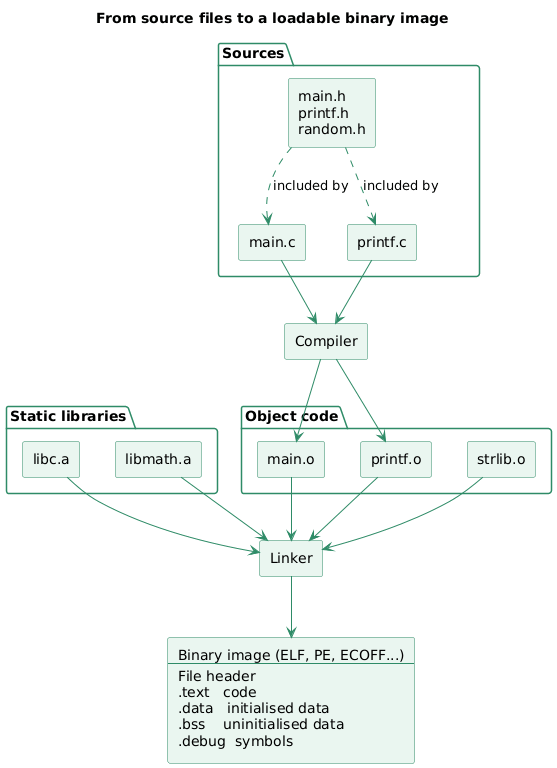
- Compilation. Each source file (
main.c,printf.c) is compiled separately into an object file (main.o,printf.o). Header files (main.h,printf.h,random.h) are not compiled on their own; they are textually included into the sources that depend on them, which is how declarations are shared between translation units. Every object file contains machine code and data for its translation unit, plus a symbol table and relocation entries describing what it exports and what it still needs. - Linking. The linker, also called the link editor, takes all the object files plus the static libraries they depend on (
libc.a,libmath.a), which are archives of object files, and merges them into one executable. It resolves every unresolved symbol: the reference toprintfinmain.ois bound to the definition found inprintf.oor inlibc.a. - Output format. The result follows a platform-defined executable format: ELF (Executable and Linkable Format) on Linux and most UNIX-like systems, PE (Portable Executable) on Windows, ECOFF on older systems. Whatever the format, the file starts with a header that identifies the architecture, the entry point and the layout of the sections that follow.
The sections named in the lecture are the ones every format has in some form:
| Section | Contents | Loaded into memory? |
|---|---|---|
.text |
Machine code | Yes, read-only and executable |
.data |
Initialised global and static variables, constants | Yes, read-write (constants are usually split into .rodata) |
.bss |
Uninitialised global and static variables | Yes, but occupies no space in the file: the loader zero-fills it |
.debug |
Debugging information (source line mapping, variable types) | No; read by the debugger from the file |
Three kinds of address
The lecture makes one point about addresses that explains why linking and loading are separate steps. Code manipulates three kinds of address:
- Relative addresses are offsets from the start of a section. Inside
hello.othe instructions ofmainare at offsets0,4,8, …, because the compiler does not know where the section will end up. - Absolute addresses are positions in the address space of the running process. Once the image is loaded, the same instructions sit at
0x40003000,0x40003004, and so on. - Symbolic addresses are names:
printf, the local label.L2holding the address of the string"Hello\n". They exist so that one translation unit can refer to another without knowing any number.
The lecture’s example shows all three at once. Compiling hello.c:
int main(int argc, char **argv) {
    printf("Hello\n");
}
produces in hello.o a main function whose call is written symbolically, 1c: bl printf, at a relative offset of 0x1c. In physical memory after loading, the same instruction reads 4000301c: bl 30013020: the offset has become an absolute address and the symbol has been replaced by the absolute address of the printf implementation. That substitution is relocation. The linker performs it for symbols it can bind at link time; the loader (or the dynamic linker, for shared libraries) performs the rest at load time using the relocation entries the linker left in the file.
hello.o (relative, symbolic)          RAM (absolute)
--------------------------------      ----------------------------------
 0:  mov    ip, sp                    40003000:  mov    ip, sp
 4:  stmfd  sp!, {fp, ip, lr, pc}     40003004:  stmfd  sp!, {fp, ip, lr, pc}
 8:  sub    fp, ip, #4                40003008:  sub    fp, ip, #4
 c:  sub    sp, sp, #8                4000300c:  sub    sp, sp, #8
10:  str    r0, [fp, #-16]            40003010:  str    r0, [fp, #-16]
14:  str    r1, [fp, #-20]            40003014:  str    r1, [fp, #-20]
18:  ldr    r0, .L2                   40003018:  ldr    r0, .L2
1c:  bl     printf          ------>   4000301c:  bl     30013020
20:  mov    r0, r3                    40003020:  mov    r0, r3
24:  sub    sp, fp, #12               40003024:  sub    sp, fp, #12
28:  ldmfd  sp, {fp, sp, pc}          40003028:  ldmfd  sp, {fp, sp, pc}
On a system with virtual memory and position-independent executables, the “absolute” addresses are virtual addresses chosen by the loader, and with ASLR they differ from one run to the next. The three-kind distinction is unchanged; only the moment at which the absolute value is fixed moves later.
Definition of a process
Two contexts and a set of resources
A process is a program in execution. The lecture defines it as the association of two contexts:
- an execution context: the code being executed and the current values of the processor registers, in particular the program counter (PC) and the stack pointer (SP);
- a memory context: the global and local variables, the constants, everything the code reads and writes.
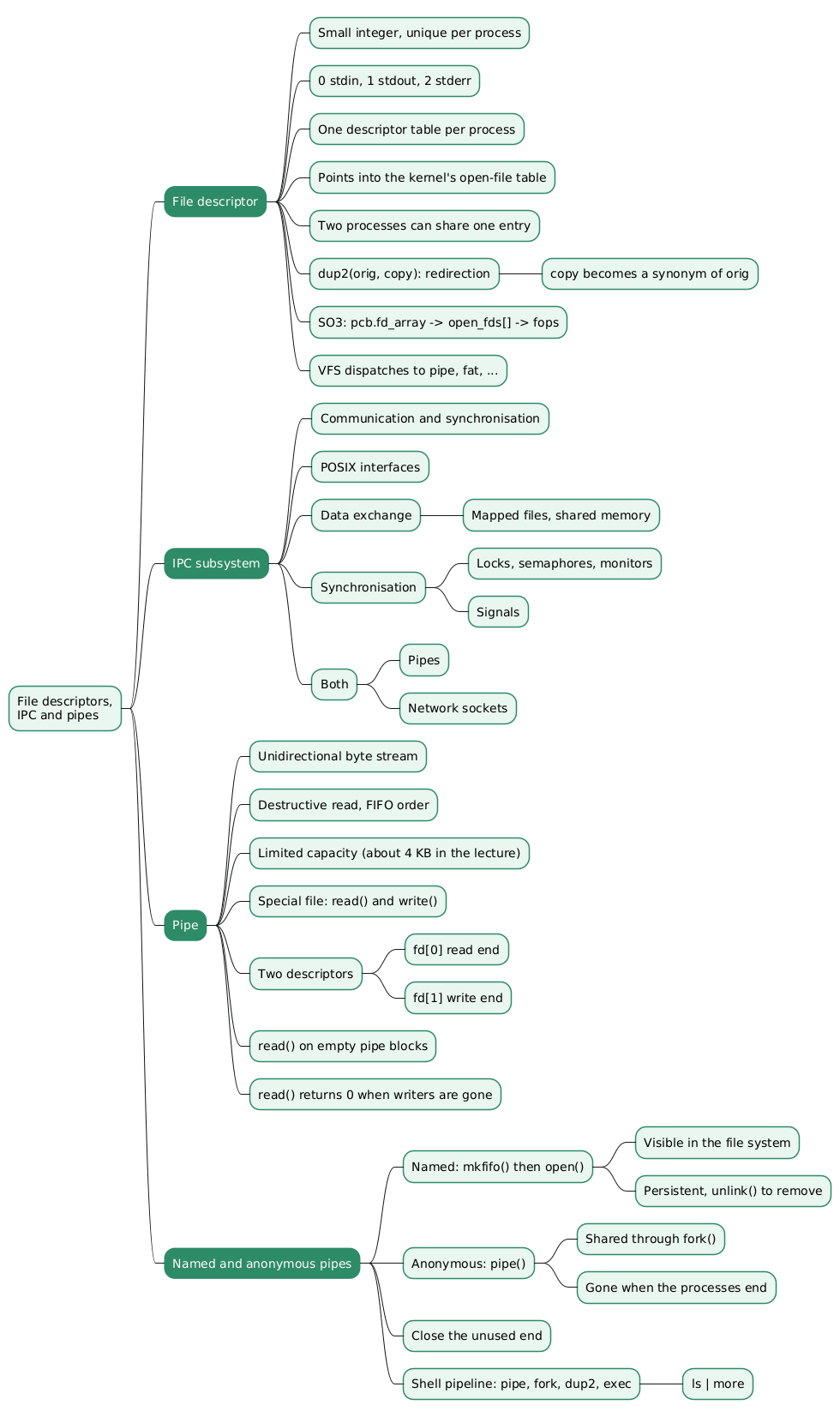
To these the lecture adds the logical resources the kernel holds on behalf of the process: open file descriptors, IPC objects such as pipes, message queues, shared memory segments and sockets, and similar handles. They are not in the process’s memory; they are entries in kernel tables that the process refers to by small integers.
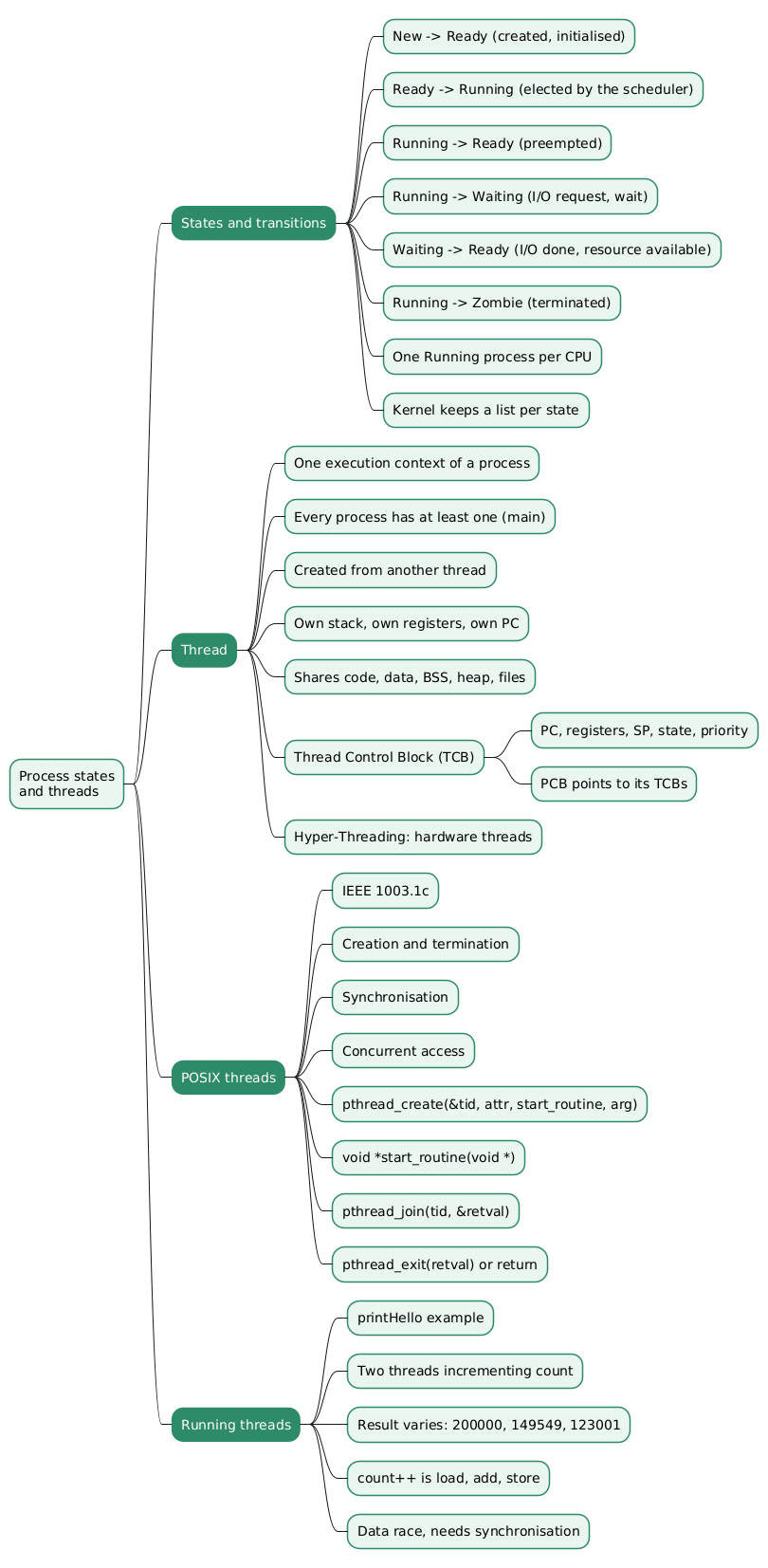
The distinction between the two contexts is what makes threads definable: a thread is an execution context (its own registers and stack) that shares the memory context and the logical resources of the process it belongs to. A process therefore always has at least one thread, the main thread, and may have several.
In terms of what occupies memory, the lecture groups the content of a process as follows:
| Region | Contents |
|---|---|
| Dynamic data | Resource descriptors, local variables (the stack and the heap) |
| Static data | Constants, global variables (.data and .bss from the image) |
| Main thread | Instructions (.text), register values (PC, SP, …) |
A single-tasking system holds one process in memory at a time; a multitasking system holds several and switches the processor between them. The lecture’s RAM diagram shows two processes, P1 and P2, resident simultaneously in different regions of physical memory, which is the situation every modern system is in.
Process hierarchy
Processes form a tree. A root process started by the kernel at boot (PID 1 on UNIX, init or systemd) creates the first user processes; each process can in turn create children with fork, and is their parent. An application may be one process (P1 in the lecture’s figure), a parent with children (P2 with P3 and P4), or a single process with several threads (P5 with T0 to T3).
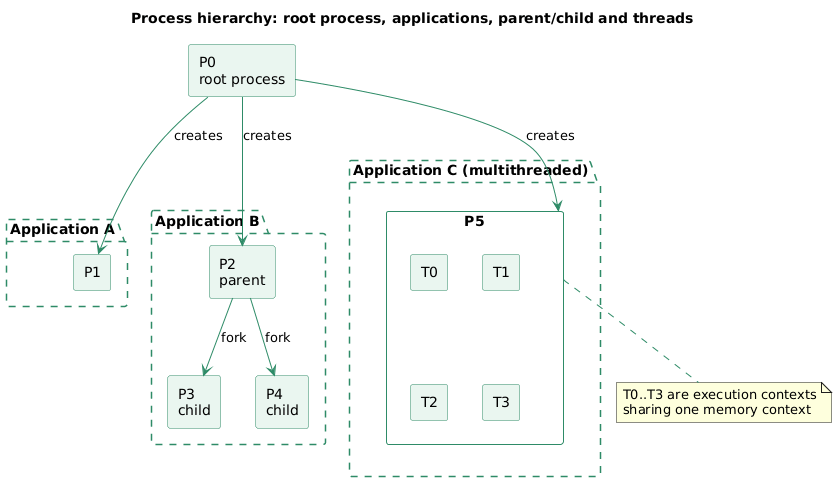
The lecture illustrates the same tree on Windows with a screenshot of Process Explorer, where explorer.exe appears as the parent of every application launched from the desktop, and chrome.exe as the parent of its own renderer processes. On Linux the equivalent views are pstree, ps -ef --forest, and the PPid field of /proc/<pid>/status.
Memory sections of a process
The last slide of the lecture lays out the address space of a process, using SO3’s addresses on ARM as an example:
0x450fffff  +-----------------+
            |      Stack      |  local variables, arguments, return addresses
            |        |        |  (grows downwards)
            |        v        |
            |                 |
            |        ^        |
            |        |        |
            |      Heap       |  malloc(), new  (grows upwards)
            +-----------------+
            |      BSS        |  uninitialised static variables (zero-filled)
            +-----------------+
0x40010000  |      Data       |  initialised static variables, constants
            +-----------------+
            |                 |
            |      Code       |  instructions (.text)
            |                 |
0x4000a000  +-----------------+
Each region has a distinct role and a distinct owner:
- Stack. Holds a function’s local variables, its arguments and its return address, in a frame pushed on call and popped on return. It is local to an execution context: every thread has its own stack. It grows towards lower addresses.
- Heap. Serves dynamic allocation (
malloc,new, and the allocators built onbrkandmmap). It is global to the execution contexts of the process: any thread can allocate in it and hand the pointer to another. It grows towards higher addresses, towards the stack; on a system without virtual memory, the two meeting is the out-of-memory condition. - BSS. Block Started by Symbol, historically an assembler directive. Contains the static variables that have no initialiser and are therefore guaranteed to be zero at start-up. The image records only its size.
- Data. Contains the initialised static variables and, in this simplified layout, the constants. Its content is copied from the
.datasection of the image at load time. - Code. The
.textsection, mapped read-only and executable.
The sections of the executable file and the regions of the process address space correspond one to one for code, data and BSS; the stack and the heap exist only at run time, sized by the kernel and the allocator rather than by the linker. That correspondence is what the loader implements, and it is why the ELF header carries, for each loadable segment, both a file offset and a virtual address.
Conclusion
A system call is a software interrupt whose number and arguments travel in registers fixed by the ABI, wrapped by a libc stub and, above it, by higher-level library functions. On ARM the number is in r7 and the trap is svc; on x86-64 the number is in rax and the trap is syscall.
The program issuing the call is built by a compiler that produces object files with relative and symbolic addresses, and by a linker that merges them with static libraries into an image in sections, whose addresses become absolute only at load time.
Once loaded, that image plus an execution context, a memory context and a set of kernel-held resources is a process. It is laid out as code, data, BSS, heap and stack, and organised with other processes into a tree rooted at the process the kernel starts at boot.
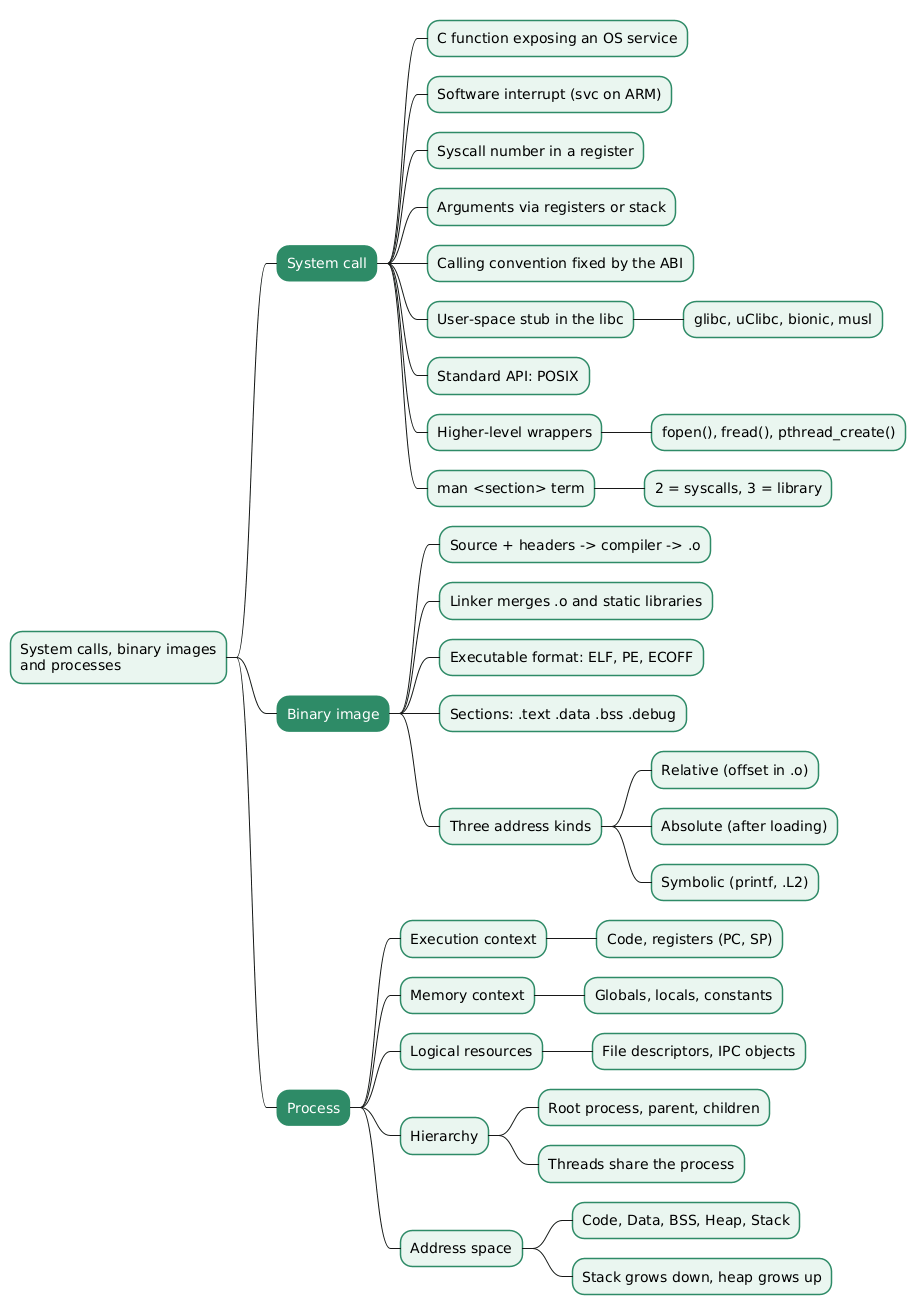
Annex
Key Terms
| Term | Definition |
|---|---|
| System call | A controlled entry point into the kernel, exposed to C code as a function and implemented as a software interrupt that switches the processor to privileged mode. |
| Software interrupt | An exception raised on purpose by an instruction (svc on ARM, syscall on x86-64) rather than by hardware, used to enter the kernel at a known handler. |
| Stub | The small user-space function, usually in the libc, that places the system call number and arguments in the right registers, executes the trap instruction and converts the result. |
| ABI | The Application Binary Interface of a platform, which fixes among other things which registers carry the system call number, the arguments and the return value. |
| POSIX | The IEEE 1003.1 standard defining a portable API (names, signatures, semantics) for operating system services on UNIX-like systems. |
| libc | The C standard library implementation of a system (glibc, uClibc, bionic, musl), which contains the system call stubs and the higher-level functions built on them. |
| Object file | The output of compiling one translation unit: machine code and data with relative addresses, plus a symbol table and relocation entries. |
| Linker | The tool that merges object files and static libraries into one executable image, resolving symbolic references between them. |
| Relocation | The replacement of relative and symbolic addresses by absolute ones, performed by the linker at link time and by the loader at load time. |
| Process | A program in execution, made of an execution context (code and registers), a memory context (variables and constants) and kernel-held logical resources such as file descriptors. |
Frequently Asked Questions
Q: What distinguishes a system call from an ordinary function call?
An ordinary call is a branch within the same privilege level: the callee runs with the same rights as the caller and shares its address space.
A system call crosses a privilege boundary. The trap instruction (svc, syscall) raises an exception, the processor switches to privileged mode, and execution continues in a kernel handler at an address the kernel chose, not the caller. The caller can only choose which service to request, through the call number, and cannot jump to arbitrary kernel code.
Q: On ARM, where do the system call number and the arguments of write(fd, buf, 10) go?
In the SO3 and Linux EABI convention, the number goes in r7 (5 for write in the lecture’s SO3 build), fd in r0, buf in r1 and the count 10 in r2. The stub then executes svc #0, and the kernel’s result comes back in r0. The arguments are already in r0 to r2 when the stub is entered, because the ordinary ARM function-call convention uses the same registers for the first arguments.
Q: Why is fopen() not a system call, and what does that imply for a system-call filter?
fopen() is a libc function that calls the open system call and then allocates a FILE structure with a user-space buffer. Later fread() calls serve data from that buffer and only issue a read system call when it is empty. A filter that inspects system calls, such as seccomp, therefore never sees fopen() or fread(); it sees open (or openat) and read. Two programs using different library layers to do the same file access look identical to the filter.
Q: What is the difference between the three kinds of address, and at which step does each disappear?
- Symbolic addresses are names (
printf,.L2). The linker replaces those it can bind with numbers; the dynamic linker handles those pointing into shared libraries at load time. - Relative addresses are offsets within a section of an object file. The linker turns them into positions within the merged image, and the loader turns those into positions in the process address space.
- Absolute addresses are the final values in the running process, such as
0x4000301c, and exist only after loading.
In the lecture’s example the instruction bl printf at offset 0x1c of hello.o becomes bl 30013020 at address 0x4000301c in memory: the symbol and the offset are both resolved.
Q: Why does .bss take no space in the executable file while .data does?
.data holds initialised variables, so the file has to store their initial values byte by byte. .bss holds variables with no initialiser, which the C standard requires to start at zero; the file only needs to record the size of the region, and the loader zero-fills it. A program declaring a 100 MB uninitialised static array therefore produces a small executable, while the same array initialised to non-zero values produces a 100 MB one.
Q: Which parts of a process are shared between its threads, and which are private?
Threads of one process share its memory context and its logical resources: the code, the data and BSS regions, the heap, and the file descriptor table. Each thread has its own execution context: its register values (PC, SP) and its own stack.
That is why a pointer to a heap block can be passed from one thread to another, while a pointer to a local variable of one thread’s stack frame is only valid as long as that frame, and that thread, exist.
Q: How do the sections of the ELF file map onto the regions of the process address space?
Code, data and BSS map one to one: .text is loaded as the read-only executable code region, .data is copied into the writable data region, and .bss becomes a zero-filled region of the size recorded in the file. The stack and the heap have no counterpart in the file. The kernel creates the stack when it starts the process and the heap grows on demand through brk and mmap.
Debugging sections such as .debug are never loaded and are read from the file by the debugger.
References
- SYE - S3 Appels systèmes, image binaire et processus, DR, FG, MZ, HEIG-VD, 2020 (source lecture)
- SO3 - Smart Object Oriented operating system, the teaching kernel used by the lecture
- syscall(2) - Linux manual page, architecture calling conventions for system calls
- syscalls(2) - Linux manual page, list of Linux system calls
- man-pages(7) - Linux manual page, the manual sections
- The Open Group Base Specifications Issue 8, IEEE Std 1003.1-2024 (POSIX)
- Executable and Linkable Format (ELF) specification, Tool Interface Standard v1.2
- Arm Architecture Reference Manual - SVC instruction (A32/T32 instruction set reference)
- Process Explorer - Sysinternals
- CreateHardLinkW function - Win32 API
- Andrew S. Tanenbaum, Herbert Bos, Modern Operating Systems, Pearson, 4th edition, 2014. The UNIX/Win32 comparison used by the lecture follows the one in this book.
Related articles
- Advanced GNU/Linux Security - SECCOMP and Linux Security Modules (LSM)
- Linux Isolation Primitives - Defense in Depth Beyond the Castle Model
- GNU/Linux from the Adversary’s Side - Buffer Overflows, the Boot Chain, and a Real Attack
- Analyse de programmes avec GCC et GDB
You might also enjoy