How Jenkins Works - Controller, Agents, Plugins, Pipeline and JENKINS_HOME
Jenkins is an open-source automation server written in Java. It watches source repositories, runs builds and tests when something changes, and can carry the result on to a deployment, which is why it sits at the centre of many CI/CD setups. Almost everything it can do comes from plugins: the core is a small web application that stores configuration, schedules work and hands that work to other machines.
This article explains how that core is put together. It follows a build from the trigger to the agent that runs it, then looks at the object model, the plugin system, the files under JENKINS_HOME, the Stapler web layer, the Pipeline engine and its continuation-passing interpreter, Configuration as Code and scaling. It ends with a real deployment: the Helm values and container images the Jenkins project uses for its own controllers.
The statements come from the jenkins.io documentation and from three repositories of the Jenkins infrastructure team, read at the commits pinned in the references. Security is covered only where the architecture creates a boundary; the companion article, Jenkins Security, covers it in depth.
This article has been made with the help of Claude Code and several custom skills
What you need to know first
The article assumes familiarity with Git, builds and the command line, and relies on the following concepts without developing them.
- Continuous integration and delivery. Continuous integration builds and tests every change merged into a shared branch; continuous delivery keeps the result deployable at all times. Jenkins is the server that runs those builds.
- Java web application (WAR) and servlet container. A WAR file bundles a Java web application; a servlet container such as Jetty or Tomcat runs it and passes it HTTP requests.
jenkins.warembeds its own container, so it can also run on its own. - Java class loaders. The JVM loads classes through a tree of class loaders, each one asking its parent first. Jenkins gives each plugin its own loader, which explains several plugin errors described below.
- Groovy. A dynamic language for the JVM with a Java-like syntax. Jenkins Pipelines and many administration scripts are written in it.
- Continuation-passing style (CPS). A way of compiling a program so that “what to do next” is an explicit object rather than the call stack. Once execution state is an object, it can be written to disk and resumed later, which is what Jenkins does with Pipelines.
- XML object serialization. Libraries such as XStream turn Java objects into XML and back by reflection, without a schema. Jenkins stores almost all its state this way.
- Kubernetes and Helm. Kubernetes runs containers in pods; Helm installs applications on it from versioned charts configured by a values file. The last section reads such values files.
What Jenkins is for, and where it came from
The documentation defines Jenkins as “a self-contained, open source automation server which can be used to automate all sorts of tasks related to building, testing, and delivering or deploying software”. It runs from native packages, from Docker images, or from any machine with a Java runtime through java -jar jenkins.war.
The problem it solves is coordination. A team pushes changes many times a day; each change has to be compiled, tested on several platforms, scanned and packaged, and someone has to find out quickly when a change breaks the build. Jenkins receives the change notification, decides which jobs to run, finds a machine with the right tools, runs the job there, keeps the logs and artifacts, and reports the result. The jenkins.io home page puts the extension count at “2300+ community contributed plugins”, covering source control systems, build tools, test reports, notifications and cloud providers.
The project started as Hudson, which Kohsuke Kawaguchi created while working at Sun Microsystems. The project’s own Google Season of Docs applications give 2006 as its founding year. After Oracle acquired Sun, the community and Oracle disagreed over control of the Hudson name. A community vote closed in January 2011 with 214 eligible votes to rename and 14 for the status quo, and the project continued as Jenkins, moving its mailing lists, GitHub organisation (jenkinsci) and infrastructure under the new name.
Two release lines exist today. A weekly release ships new features and fixes; every 12 weeks one weekly release is chosen as a Long-Term Support (LTS) baseline, which then receives backported fixes every 4 weeks. A weekly version number has two parts, such as 2.591, and an LTS version number three, such as 2.580.2. When a change reached both lines, the article gives both versions, for example weekly 2.307 and LTS 2.319.1. The timeline in the annex lists the releases that changed this architecture.
The controller, nodes, agents and executors
A Jenkins installation has one controller: in the glossary’s words, “the central, coordinating process which stores configuration, loads plugins, and renders the various user interfaces”. The controller was called “master” until a terminology change; the term “agent” replaced “slave”, and some system properties and class names (slaveAgentPort, SlaveComputer) keep the old words.
The work itself runs on nodes:
- Agents are separate processes, typically on another machine or in a container, that connect to the controller and run tasks it sends them. The node documentation describes an agent as “a small (170KB single jar) Java client process that connects to a Jenkins controller and is assumed to be unreliable”.
- The built-in node is a node inside the controller process itself. It was called the “master node” before Jenkins weekly 2.307 and LTS 2.319.1. A build that runs there has the same file-system access as the Jenkins process, including
JENKINS_HOME. - Clouds are configurations that create agents on demand, such as the Kubernetes, Amazon EC2 or Azure VM Agents plugins, and remove them when idle.
Each node has a number of executors, slots that each run one task at a time. The executor count is the node’s concurrency: four executors means four builds can run there at once. The documentation’s sizing advice is that one executor per node is the safest configuration, because builds that share a node compete for its CPU, memory, I/O and network, and one per CPU core can work if the tasks are small.
The built-in node should have zero executors: the controller then only serves HTTP, holds state and schedules, and no build process runs with the controller’s file-system access. The agent-to-controller channel and the Pipeline Groovy that runs in the controller remain boundaries, covered in the security article.
Nodes carry labels, free-text tags such as linux, docker or arm64. A job restricts where it runs with a label expression, and a node can be set either to take any job or only jobs whose label expression matches it. When no free executor matches, tasks wait in the queue, a situation the documentation calls executor starvation.
Jenkins also monitors each node’s free disk space, temporary space, swap, clock difference and response time, and takes a node offline when a threshold is crossed. The scaling guide recommends making agents fungible: standard images with tools installed by the build or by tool installers, so that any agent with a label can replace any other.
flowchart LR
  subgraph CTRL["Jenkins controller (one JVM)"]
    UI["Stapler: web UI, REST API, CLI"]
    RM["Remoting: agent channels"]
    Q["Build queue"]
    SCH["Scheduler: label match, free executor"]
    NP["NodeProvisioner and Cloud plugins"]
    BIN["Built-in node, 0 executors"]
    HOME[("JENKINS_HOME: config.xml, jobs/, plugins/")]
    UI -->|"trigger: webhook, cron, API, upstream"| Q
    Q --> SCH
    SCH -->|"no capacity for the label"| NP
    UI <--> HOME
  end
  SCH -->|"assign executor"| A1["Static agent, launched over SSH"]
  SCH -->|"assign executor"| A2["Inbound agent, TCP or WebSocket"]
  NP -->|"provision"| A3["Cloud agent: pod or VM"]
  A1 <-->|"SSH, opened by the controller"| RM
  A2 <-->|"TCP port, or WebSocket on the HTTP port"| RM
  A3 <-->|"WebSocket for pods, SSH for VMs"| RM
Remoting and how agents connect
The controller talks to agents through Remoting, which the developer documentation describes as “an executable JAR, which implements the communication layer in Jenkins”, used for controller-to-agent and controller-to-CLI communication. Once a channel is open, the controller sends work over it and the agent starts the build processes and streams their output back. How the work is encoded on the channel is documented in the Remoting repository, not on jenkins.io (see Gaps).
What differs between setups is who opens the connection. The documentation’s section “Choose the connection direction” separates the two cases, and the launch methods follow from it:
| Launch method | Who connects | Transport | Typical use |
|---|---|---|---|
| SSH launcher | Controller connects to the agent host | SSH, using Jenkins’ built-in SSH client; the controller’s public key is in the agent’s authorized_keys |
Static Linux or Windows agents the controller can reach; the scaling guide calls it “the preferred and the most stable way” |
| Inbound agent, TCP | Agent connects to the controller | Dedicated TCP port, protocol JNLP4-connect; jenkins.model.Jenkins.slaveAgentPort is -1 (disabled) by default since Jenkins 2.0 |
Agents behind NAT or a firewall, older setups |
| Inbound agent, WebSocket | Agent connects to the controller | The controller’s normal HTTP(S) port, since Jenkins 2.217; only implemented on the Jetty container | Containers and cloud agents; no extra port to open |
| Cloud plugin, pods | Plugin creates the pod; the agent in it connects to the controller, as an inbound agent | WebSocket or TCP | Kubernetes pods created per build |
| Cloud plugin, VMs | Plugin creates the VM; the controller then connects to it, as with the SSH launcher | SSH, for VM clouds such as Azure VM Agents | EC2 or Azure VMs created per build |
An inbound agent is started with java -jar agent.jar and the controller URL, a per-agent secret and its name; the JAR can be downloaded from the controller at /jnlpJars/agent.jar. The old name “JNLP agent” comes from Java Web Start, which the inbound mechanism originally used; parts of the scaling guide still use that wording, and its own comments mark it as outdated.
One timing property is worth knowing when cloud agents seem slow to appear: hudson.slaves.NodeProvisioner.initialDelay waits about 100 seconds after startup before provisioning from clouds, so that static agents can connect and take the load first, and the provisioner then re-evaluates demand periodically.
The Remoting channel is also a security boundary: an agent can send requests back to the controller, and Jenkins filters them. That filtering is a subject of the security article.
The build queue
Everything that wants an executor goes through the build queue. The sequence below follows one build of a Pipeline job.
sequenceDiagram
    autonumber
    participant T as Trigger (webhook, cron, API)
    participant Q as Controller queue
    participant C as Pipeline engine (controller)
    participant P as NodeProvisioner and cloud
    participant A as Agent
    T->>Q: schedule job (with parameters)
    Note over Q: quiet period, close triggers merge
    Q->>C: run starts without a node executor, Groovy interpreted
    C->>Q: node or agent block requests an executor with label L
    alt free executor on a node with label L
        Q->>A: assign executor and workspace
    else no capacity
        Q->>P: ask clouds for a node with label L
        P->>A: create pod or VM
        A->>Q: agent.jar connects back, executor available
    end
    C->>A: sh step over Remoting
    A-->>C: output stream and exit code
    C->>Q: block ends, executor released
The steps in prose:
- Trigger. A build can be requested by an SCM webhook or poll, a cron-like timer, an upstream job finishing, a user, the CLI
buildcommand, or an HTTPPOSTto/job/<name>/build(or/buildWithParameters). - Quiet period. The task waits for a configurable delay, set globally or per job, so that several commits arriving close together produce one build rather than several.
- Matching. The scheduler looks for a free executor on a node whose labels satisfy the task’s label expression.
- Provisioning. If nothing matches, the
NodeProvisionerasks the configured clouds for a new node with that label. - Execution and release. The executor runs the task, then becomes free again; a cloud agent that stays idle is removed.
For a Pipeline, step 3 happens inside the run. The Pipeline documentation says a node block “schedules the steps contained within it to run by adding an item to the Jenkins queue. As soon as an executor is free on a node, the steps will run”, and it allocates a workspace there. A Pipeline with three node blocks therefore enters the queue once when it is triggered, then once more for each of the three blocks.
The first entry is for the run itself, which Jenkins handles as a flyweight task. The system-properties page states that flyweight tasks do not consume an executor, and since weekly 2.205 Jenkins tries to run the main build of a Pipeline on the built-in node. The run therefore does not take one of the node executors counted in the earlier section, and it does not need a free agent to start: it waits for an agent only when it reaches its first node block.
The queue survives a restart. Its content is written to disk when it changes, with a maximum delay controlled by hudson.model.Queue.Saver.DELAY_SECONDS (60 seconds by default since Jenkins 2.109), a trade-off the documentation describes as queue consistency after a crash against I/O load.
The object model
Jenkins is easier to understand once the classes behind the UI are known, because the same objects appear in the URLs, in the XML files and in the plugin API. A Pipeline job named foo and its first build look like this in the three views:
| View | The job | Its build number 1 |
|---|---|---|
| URL | /job/foo/ |
/job/foo/1/ |
File under JENKINS_HOME |
jobs/foo/config.xml |
jobs/foo/builds/1/ |
| Class in the plugin API | WorkflowJob |
WorkflowRun |
The root is a singleton, jenkins.model.Jenkins, whose legacy superclass hudson.model.Hudson still carries the project’s first name. It holds the top-level items, the nodes, the global configuration and the security settings, and every other model object can be reached from it.
Below the root:
- Items are the entities of the UI: folders, Pipelines and other jobs. The traditional job hierarchy is
FreestyleProject→Project→AbstractProject→Job→AbstractItem→Item. - Runs are the executions of a job, paired with the job type:
FreestyleBuildfor a freestyle job,WorkflowRunfor a Pipeline. A run is what the UI calls a build. - Actions attach data and UI to an object. Jobs, runs and nodes are
Actionable; anActionstores arbitrary data, adds a link to the side panel and contributes a URL segment throughgetUrlName(). Test reports and coverage pages are typically actions on a run. - Builders, publishers, SCMs, build wrappers and triggers are the building blocks of a freestyle job: the steps that run, the post-build reporters, the source checkout, the environment around the build and what starts it.
Pipeline needed a different shape. WorkflowJob extends Job directly, because it “cannot act like an AbstractProject”: it has no single SCM, no single workspace and no fixed list of build steps. Rather than add a level to the hierarchy, Jenkins moved the reusable parts into mixins that any job type can use: scheduling with parameters and through the REST trigger, SCM polling, and lazy loading of build records. The Integration Notes name the classes. Plugins that still accept only AbstractProject cannot be used from Pipeline, and the documentation’s migration advice is to accept Job and Run instead.
The pattern that holds the configuration together is Describable / Descriptor. A Describable is a configured instance, for example one shell build step in one job, with its command. Its Descriptor is a single object per type that acts like a class object: it creates instances from submitted forms, holds global settings for the type, and validates form fields through methods named doCheckXxx.
Instances are built from a form, a YAML file or Pipeline arguments through the same constructor, annotated @DataBoundConstructor, plus optional @DataBoundSetter setters. That shared binding is why one class can be configured from the web UI, from Configuration as Code and from a Pipeline step without three separate parsers.
Extension points and plugins
Extension points
An extension point is an interface or abstract class that models one aspect of Jenkins’ behaviour: a kind of build step, an SCM, a security realm, a cloud, a view of the UI. A plugin contributes an implementation by annotating it with @Extension.
Discovery happens when the plugin is compiled. The plugin development guide explains that an annotation processor, SezPoz, records every @Extension class in an index inside the plugin; at startup Jenkins reads those indexes instead of scanning the class path. Code that needs the implementations asks for them by type:
for (Checker c : ExtensionList.lookup(Checker.class)) {
    c.check(target);
}
This is a service locator: the code that defines Checker compiles against the interface only and finds every implementation from core and from all installed plugins at run time. The security configuration page uses the same mechanism to list all SecurityRealm implementations. jenkins.io publishes a generated index of extension points, built when the website is built.
Plugins as packages
A plugin is a .hpi or .jpi archive, built with Maven (plugin-pom and maven-hpi-plugin) or with a Gradle plugin. Jenkins stores it as JENKINS_HOME/plugins/<name>.jpi and unpacks it next to the archive into plugins/<name>/, with a META-INF/ manifest and the JARs under WEB-INF/lib/. Plugin dependencies are recorded in the manifest, for example Plugin-Dependencies: a:1.13,b:1.6, and can be optional.
Plugins are first-class participants. The architecture page lists that they take part in XStream persistence alongside core objects, contribute Jelly or Groovy views with the same conventions as core, ship static resources, and add Stapler web endpoints. To a user, nothing distinguishes a core feature from a plugin feature, and Pipeline itself is a set of plugins.
Class loading
Each enabled plugin gets its own class loader, which delegates to Jenkins core and to the class loaders of the plugins it depends on. The chain is the Java platform, then the servlet container’s class path, then core (jenkins.war!/WEB-INF/lib/*.jar), then one loader per plugin. A special UberClassLoader delegates to all enabled plugins and can find any plugin class.
Two consequences follow:
- Name clashes are allowed between unrelated plugins. Two plugins that do not depend on each other can each contain a class with the same name.
- Plugins are not isolated from core’s libraries. A plugin that bundles a different version of a library core already ships sees core’s version first. The
pluginFirstClassLoaderflag inverts this, and the documentation lists its “discontents”; its preferred alternatives are shading the library or depending on a library wrapper plugin that ships it once for all plugins.
The documentation also explains a common ClassNotFoundException: a class is loaded by the loader that defines it, so a library inside plugin A cannot see classes in a plugin B that depends on A, even though B can see A. The documentation’s example is a library in A that receives a class name from B and loads it with Class.forName(name): the lookup uses the loader of A, which does not know B’s classes, and fails.
Installing and updating plugins
The Update Center at updates.jenkins.io publishes plugin metadata, and plugin releases are stored in the project’s Maven repository. Installing a plugin from the Plugin Manager pulls its dependencies automatically. Plugins can also be installed with the CLI install-plugin command, by uploading a .hpi, or by copying the file into JENKINS_HOME/plugins and restarting. Container deployments usually do something else again: they list plugins with pinned versions in a plugins.txt and run jenkins-plugin-cli while building the image, which the last section shows.
Some features that used to be part of core were split out into plugins (JUnit and Subversion support, for example). Jenkins adds those detached plugins as implied dependencies of older plugins built against a core version that still contained them, so the older plugins keep working.
JENKINS_HOME: state without a database
Jenkins has no database. The persistence documentation states that it “uses the file system to store its data”, in directories under JENKINS_HOME that follow the structure of the object model. Console output is plain text, some data is in Java properties files, and the majority of structured data, including project configuration and build records, is XML written by XStream. The default location is /var/lib/jenkins for the Linux packages.
The scaling guide gives the layout (abridged):
JENKINS_HOME
 +- config.xml          root configuration (the Jenkins object)
 +- *.xml               other site-wide configuration, one file per component
 +- identity.key.enc    RSA key pair that identifies the instance
 +- secrets/            master.key, hudson.util.Secret, InstanceIdentity.KEY, initialAdminPassword
 +- userContent/        files served under /userContent/
 +- fingerprints/       artifact fingerprint records
 +- plugins/            <name>.jpi plus the unpacked <name>/ directory
 +- workspace/<ITEM_FULL_NAME>/  workspaces of builds on the built-in node (default since 2.119)
 +- jobs/
     +- <JOB>/
         +- config.xml  job configuration
         +- builds/<BUILD_ID>/  build.xml, log, changelog.xml, archived artifacts
     +- <FOLDER>/
         +- config.xml
         +- jobs/       nested items
A Pipeline run also writes its execution state, program.dat, inside its build directory (see the CPS section).
Storing objects with XStream makes persistence almost free for plugin authors, at the cost of compatibility work when a class changes. The documented techniques are:
transientfields, which XStream does not write.readResolve(), which runs after loading and migrates old fields into new ones.- Aliases for renamed classes, registered on the XStream instance that stores them (
Items.XSTREAM2for job configuration,Run.XSTREAM2for build records), often from an@Initializerthat runs before plugins start. - Custom converters for complex migrations.
One caveat on the first technique: Jenkins still reads transient fields from XML by default, including from a user-submitted config.xml, so the keyword is not a deserialization boundary.
Two operational points follow from the layout. Builds can be moved out of jobs/ to another disk with the system property jenkins.model.Jenkins.buildsDir (since 2.119), with the caveat that Jenkins migrates nothing for you. And a backup must include secrets/: the master.key and hudson.util.Secret pair is what decrypts stored credentials, so a restored JENKINS_HOME without it loads configuration it cannot decrypt. Workspaces do not need backing up. For deployments that outgrow local disk, pluggable storage plugins move artifacts, logs and other data to external services such as S3 or Azure Blob Storage.
The web layer: Stapler
Every page, API endpoint and form in Jenkins is served through Stapler, a web framework that maps URLs onto the object graph instead of onto a routing table. The Jenkins object is bound to the root URL, and Stapler resolves each path segment by reflection on the current object:
| URL | Resolved as |
|---|---|
/log/ |
Jenkins#getLog() |
/job/foo/ |
getJob("foo"), a getter with an argument, then the index.jelly view of the job |
/job/foo/1/ |
Job#getDynamic("1", ...), a dynamic getter returning build number 1 |
/job/foo/changes |
the changes.jelly view of the job class |
/job/foo/1/artifact/... |
Run#doArtifact(...), an action method |
/job/foo/config.xml |
AbstractItem#doConfigDotXml(...), a method annotated @WebMethod(name="config.xml") |
Objects can change the walk. A StaplerProxy returns another object from getTarget() and has the highest priority, which Jenkins uses for permission checks: returning the object itself only after checking access hides all getters and views of the object from a user without permission. StaplerFallback has the lowest priority, and an Action’s getUrlName() adds sub-URLs to any Actionable object.
To find which Java method serves a URL, set the system property stapler.trace. Jenkins then adds X-Stapler-Trace-* headers to each response that explain how the request was routed.
Routing by reflection would expose every public getter, so Jenkins restricts it. Since LTS 2.138.4 and weekly 2.154 only methods and fields that Jenkins considers “routable” are dispatched: a web method needs an indicator such as @RequirePOST, a StaplerRequest parameter or an HttpResponse return type, or an explicit @StaplerDispatchable annotation.
Views are Jelly or Groovy files stored next to the class they render, under src/main/resources/<package>/<Class>/: index.jelly for the main page, config.jelly for the configuration form of a Describable, global.jelly for a Descriptor’s global settings. Forms are submitted as structured JSON and bound back to objects through @DataBoundConstructor, and the Descriptor’s doCheckXxx and doFillXxxItems methods drive field validation and drop-down lists.
Pipeline
Jenkinsfile, Declarative and Scripted
Pipeline is a suite of plugins that defines a delivery process as code, usually in a file named Jenkinsfile committed to the repository. Two syntaxes run on the same engine and share the same steps:
// Declarative
pipeline {
    agent { label 'linux' }
    options { timeout(time: 30, unit: 'MINUTES') }
    stages {
        stage('Build') { steps { sh 'make' } }
        stage('Test')  { steps { sh 'make test' } }
    }
    post { always { junit 'reports/*.xml' } }
}
// Scripted
node('linux') {
    stage('Build') { sh 'make' }
    stage('Test') {
        try { sh 'make test' }
        finally { junit 'reports/*.xml' }
    }
}
Declarative imposes a fixed structure of sections and directives, from pipeline, agent, stages, steps and post to options, environment, when, parallel and matrix. It validates that structure before running and supports features such as restarting from a stage. A script {} block embeds Scripted code where needed. Scripted is general-purpose Groovy with node and stage blocks and ordinary flow control such as if and try/catch. The agent directive accepts any, none (each stage chooses), a label, a node specification, docker, dockerfile or a Kubernetes pod template.
Where the code runs
The best-practices page states that “for a Pipeline, Groovy code always executes on controller”, using controller memory and CPU. Work on the workspace happens on the agent, in the workspace that the enclosing node or agent block allocated: process steps such as sh, bat or powershell, and file steps such as writeFile or junit.
The consequence is a set of anti-patterns the documentation names: parsing a large JSON file with JsonSlurper and readFile, which loads the file into controller memory twice, making HTTP calls with httpRequest, or looping over many small steps, each of which the controller has to start and stop, with connections and resources created and cleaned up on both sides. Each of these loads the controller, so the advice is to do the work in a single sh step on the agent and send back only the result.
CPS: a program that survives a restart
Pipeline scripts are not run by the normal Groovy runtime. The workflow-cps plugin parses them with the Groovy compiler but runs most of the program inside its own interpreter, after a continuation-passing-style transform. In the documentation’s words, this turns the code “into a version that can save its current state to disk (a file called program.dat inside your build directory) and continue running even after Jenkins has restarted”.
Resumability has a price:
- Local variables must be serializable, because they are written to
program.dat. - Methods annotated
@NonCPSrun as ordinary Groovy, which is faster and supports every language construct, but they must not call Pipeline steps and cannot be paused. The documentation warns that a step called from such a method is unsafe and does not always raise an error. - Calling CPS-transformed code from non-CPS code fails in counterintuitive ways. Typical cases are a closure passed to
toSorted, an overriddentoString, a closure inside a GString and a constructor. The documentation lists these as “CPS method mismatches”. In itstoSortedexample, the closure is CPS-transformed buttoSortedis not:
def sortByLength(List<String> list) {
  list.toSorted { a, b -> Integer.valueOf(a.length()).compareTo(b.length()) }
}
def sorted = sortByLength(['333', '1', '4444', '22'])
sorted ends up as -1, the return value of the first call to the closure, instead of a sorted list. The runtime detects this most common mistake, CPS-transformed code called from non-CPS code, and logs a warning of the form expected to call java.util.ArrayList.toSorted but wound up catching org.jenkinsci.plugins.workflow.cps.CpsClosure2.call.
Shell steps come from a separate plugin, Pipeline: Nodes and Processes (workflow-durable-task-step), which runs them as processes on the agent. Together with program.dat, this is what lets the Pipeline overview state that Pipelines “can survive both planned and unplanned restarts of the Jenkins controller”. The documentation read does not describe how a running shell step reconnects to its Pipeline after the restart (see Gaps).
How often state is written is configurable through the Speed/Durability Setting, globally, per job, per branch or with the properties step:
| Setting | Behaviour |
|---|---|
MAX_SURVIVABILITY |
Default. Writes state at every step with atomic writes; slowest. |
SURVIVABLE_NONATOMIC |
Writes at every step without atomic writes; faster, especially on network file systems. If the operating system fails, buffered writes are lost, which in rare cases leaves a build that cannot be loaded. |
PERFORMANCE_OPTIMIZED |
Greatly reduces disk I/O. After a dirty shutdown (SIGKILL, out-of-memory killer, a killed VM), running Pipelines may lose data and behave like freestyle jobs: they may not resume and may not be displayed in the Pipeline graph or stage views, but their logs remain. |
A graceful shutdown persists state in every mode, and the operating-system risk of the non-atomic row also applies to PERFORMANCE_OPTIMIZED. The scaling guide suggests a global default of performance-optimized with maximum durability on critical jobs or release branches.
Shared libraries
Common Pipeline code is shared through shared libraries. A library is a repository with three directories:
vars/holds global variables that act as custom steps, each with optional.txthelp;src/holds Groovy classes added to the class path;resources/holds files that Pipelines load withlibraryResource.
A Pipeline loads one with @Library('name@version') _ or the library step, or automatically if the library is marked “Load implicitly”. The trailing _ is not a typo: a Groovy annotation must be attached to something, and instead of an unneeded import the documentation annotates the symbol _. Library code is CPS-transformed like the rest of the script.
Where the library is declared changes what it can do. The Groovy sandbox, provided by the Script Security plugin, runs user-provided scripts with a limited set of internal APIs, and an administrator must approve, through In-process Script Approval, any unsafe method a sandboxed script uses. A library configured under Global Trusted Pipeline Libraries runs outside the Groovy sandbox and can call any Java method, and the documentation warns that “anyone able to push commits to this SCM repository could obtain unlimited access to Jenkins”. Global untrusted libraries and all folder-level libraries run in the sandbox. The security article covers the sandbox and script approval.
Multibranch Pipelines and organization folders
A Multibranch Pipeline is a folder that Jenkins fills itself. Jenkins scans a repository, on a schedule or when a webhook arrives, and creates one child Pipeline job for each branch or pull request that contains a Jenkinsfile; it removes children when their branch disappears, according to an orphaned-item strategy (see Gaps). Each child gets BRANCH_NAME and checkout scm checks out the exact commit that triggered it. An Organization Folder goes one level up: it scans a whole GitHub, GitLab or Gitea organization, or a Bitbucket team or project, and creates a multibranch project for every repository that has a Jenkinsfile.
CLI and REST API
Jenkins has two programmatic interfaces besides the UI.
The CLI is either the jenkins-cli.jar client, downloaded from /jnlpJars/jenkins-cli.jar, or a plain SSH client talking to Jenkins’ built-in SSH service, which is disabled by default on a new installation. The JAR client has three modes; since Jenkins 2.391 the default is -webSocket, with -http and -ssh as alternatives, and it authenticates with -auth user:apitoken. Plugins add commands by extending CLICommand or by annotating model methods with @CLIMethod.
The remote access API is not one endpoint: it is the Stapler object graph described in the web-layer section, rendered as data. Appending /api/ to almost any URL returns the object behind it in XML, JSON (with JSONP) or a Python-compatible format: /api/json for the root, /job/foo/lastSuccessfulBuild/api/json for one build. Query parameters shape the output: tree= selects fields, depth= controls how deep nested objects are expanded, and xpath= and exclude= filter the XML form.
Writes go through ordinary URLs: POST /job/foo/build, /buildWithParameters, GET or POST on .../config.xml to read or replace a job’s configuration, and createItem to create one.
Scripts authenticate with HTTP Basic and an API token, which also removes the need for a CSRF crumb, the anti-CSRF token Jenkins otherwise requires on form submissions and other changes made from a browser session.
The Script Console at /script runs arbitrary Groovy inside the controller JVM or on an agent. It is an administration tool with full control of the instance, and is discussed in the security article.
Configuration as Code
The configuration-as-code plugin (JCasC) configures a controller from YAML instead of from the web UI. By default it reads $JENKINS_HOME/jenkins.yaml; the CASC_JENKINS_CONFIG environment variable can point to other files, directories or URLs, which are combined and must not overwrite each other’s values (a conflict raises a ConfiguratorException). The default exported file has four sections:
jenkinsfor the root object: system settings, nodes and clouds.toolfor build tool installations.unclassifiedfor every other global and plugin configuration.credentialsfor stored credentials.
JCasC does not have its own model. It walks the same Describable classes and @DataBoundSetter properties the UI uses (see Gaps), which is why the plugin can export the current configuration as YAML from the UI. Changes can be applied without a restart with Reload existing configuration.
The documentation’s rule is to configure a controller “either with CasC or with the UI, but not by both”: the UI still allows editing values that came from YAML, but those edits are overwritten at the next restart. Jobs are usually created separately, for example with the Job DSL plugin, which describes jobs as Groovy scripts such as folder('core') or multibranchPipelineJob('core/package'); the scripts run either from a seed job or from a jobs: block of the JCasC YAML, as the last section shows. The older alternative to JCasC is Groovy hook scripts in init.groovy.d/, which run at the end of startup with full access to Jenkins classes.
Scaling
A controller grows in two directions in the documentation’s terms: vertically, with more jobs and builds on one controller, and horizontally, with more controllers. Builds scale out through agents and clouds, which add executors without loading the controller. The controller itself remains one process holding its state on disk, and every job configuration is loaded at startup, so a large instance starts slowly.
The scaling guide gives rough sizing equations, which assume a controller with 5 cores and one core per 100 jobs, so 500 jobs per controller:
jobs        = number of developers * 3.333
controllers = number of jobs / 500
executors   = number of jobs * 0.03
For 1,500 jobs this gives 3 controllers and 45 executors. The equation counts executors, not agents: on agents with one executor each, as the node documentation recommends, 45 executors are 45 agents. The guide presents these as a starting point to adjust to the types of builds and tests an organization runs, not as measured capacity limits. When an organization needs several controllers, it lists three ways to split them, by environment, by org chart or by product line, and asks readers to weigh their trade-offs.
Other levers in the documentation:
- Storage. The architecture guide prefers a larger disk over a faster one for
JENKINS_HOME, while the Pipeline scaling guide, whose concern is the state Pipelines write at every step, recommends SSD-backed storage. An instance with heavy Pipeline use can follow both by moving build records to a faster disk withbuildsDir. Enforce build discarders in either case. - Pipeline load. Use the performance-optimized durability, combine steps, log less, and move work to agents.
- Kubernetes. Run the controller as a Deployment with a persistent volume and let the Kubernetes plugin create an agent pod per build from pod templates, using the
jenkins/inbound-agentimage or a custom one. - Manageability. Keep a test controller for upgrades, monitor with the Metrics plugin, and back up
JENKINS_HOME.
A real deployment: how the Jenkins project runs its own controllers
The Jenkins infrastructure team publishes the configuration of its own controllers. Three repositories, read at the commits pinned in the references, show how the pieces above fit together in production. The figures below are those of 2026-11-17; the team’s automation updates them weekly. Three controllers appear in the files read:
| Controller | Image | Core | Pinned plugins | Cluster | Agents in its values |
|---|---|---|---|---|---|
| infra.ci.jenkins.io | jenkinsciinfra/jenkins-infraci |
weekly 2.591 | not read (see Gaps) | privatek8s-sponsored |
Kubernetes pods over WebSocket, Azure VMs over SSH |
| release.ci.jenkins.io | jenkinsciinfra/jenkins-lts, from docker-jenkins-lts |
LTS 2.580.2 | 121 | privatek8s-sponsored |
Kubernetes pods over WebSocket, Windows pods included |
| weekly.ci.jenkins.io | jenkinsciinfra/jenkins-weeklyci, from docker-jenkins-weeklyci |
weekly 2.591 | 116 | publick8s-sponsored |
none (clouds: []) |
The paragraphs below say which controller each setting comes from.
The controller image is core plus a pinned plugin list. release.ci.jenkins.io runs the image built from jenkins-infra/docker-jenkins-lts, a four-instruction Dockerfile (infra.ci.jenkins.io runs a separate image, jenkinsciinfra/jenkins-infraci, on weekly core 2.591):
FROM jenkins/jenkins:2.580.2-jdk25

COPY logos /usr/share/jenkins/ref/userContent/logos
COPY plugins.txt /usr/share/jenkins/ref/plugins.txt
RUN jenkins-plugin-cli \
  --plugin-file /usr/share/jenkins/ref/plugins.txt \
  --verbose
plugins.txt pins 121 plugins to exact versions. The weekly image used for weekly.ci.jenkins.io is built the same way from docker-jenkins-weeklyci on jenkins/jenkins:2.591-jdk25 and pins 116.
A cst.yml container-structure test checks that the image contains key plugins such as kubernetes.jpi, workflow-aggregator.jpi, git.jpi and configuration-as-code.jpi, and an updatecli configuration opens pull requests when core or a plugin has a new release. The resulting image, jenkinsciinfra/jenkins-lts, is tagged <image version>-<core version>, for example 2.3.124-2.580.2.
Controllers are Helm releases. In jenkins-infra/kubernetes-management, each cluster has a helmfile (clusters/<cluster>.yaml). On the privatek8s-sponsored cluster, infra-ci-jenkins-io and release-ci-jenkins-io are releases of the official jenkins/jenkins chart, version 5.13.3, each in its own namespace and each with a persistent volume claim holding JENKINS_HOME. Their values files live under config/privatek8s-sponsored/.
Plugins come only from the image. The values set installPlugins: false, so the chart installs nothing at startup, and overwritePlugins: true, which the file’s own comment explains: it deletes the content of $JENKINS_HOME/plugins on each pod restart, so only the plugins in the container image are used. A plugin installed by hand from the UI disappears at the next restart, and upgrading a plugin means building and deploying a new image.
Everything else is JCasC. controller.JCasC.defaultConfig: false discards the chart’s default YAML, and configScripts provides the configuration in named blocks:
- credentials (a GitHub App, Azure managed identities, a Kubernetes service-account token), with secret values injected as
${VAR}from encrypted files that are not in the public repository; numExecutors: 0on the controller and akubernetescloud withwebSocket: true, so agent pods connect back over HTTPS without a dedicated TCP port;- an LDAP security realm and
globalMatrixauthorization; - the Jenkins URL and a separate resource root URL,
assets.<host>, which serves build artifacts and workspaces from another host name than the controller’s pages, for reasons the security article explains; - on infra.ci.jenkins.io, an
azureVMcloud next to the Kubernetes one, whose VM templates use thesshlauncher and theazureVMCloudOnceretention strategy, so each agent is a single-use Azure VM that the controller reaches over SSH; - on infra.ci.jenkins.io, a global shared library named
pipeline-library, loaded implicitly; - on release.ci.jenkins.io and weekly.ci.jenkins.io, a
jobs-settingsblock whosejobs:entries are Job DSL scripts (folder(...),multibranchPipelineJob(...)), so the jobs themselves are also declared in the values file; the infra.ci.jenkins.io values have no such block.
The network is split. infra.ci.jenkins.io serves its UI on a private ingress, and a second ingress on a public host exposes only the /github-webhook path so GitHub can reach it. Its values enable the chart’s Kubernetes network policy and run the controller pod as a non-root user (UID 1000); release.ci.jenkins.io disables the network policy, which its file explains by a lack of support on Windows nodes.
Read against the architecture, the setup applies most of the documentation’s advice at once: the built-in node runs nothing, agents are disposable pods or single-use Azure VMs, the plugin set is versioned and tested like code, and the controller’s configuration can be rebuilt from Git plus the encrypted secrets. What remains on the persistent volume is mostly job and build history.
Where security fits
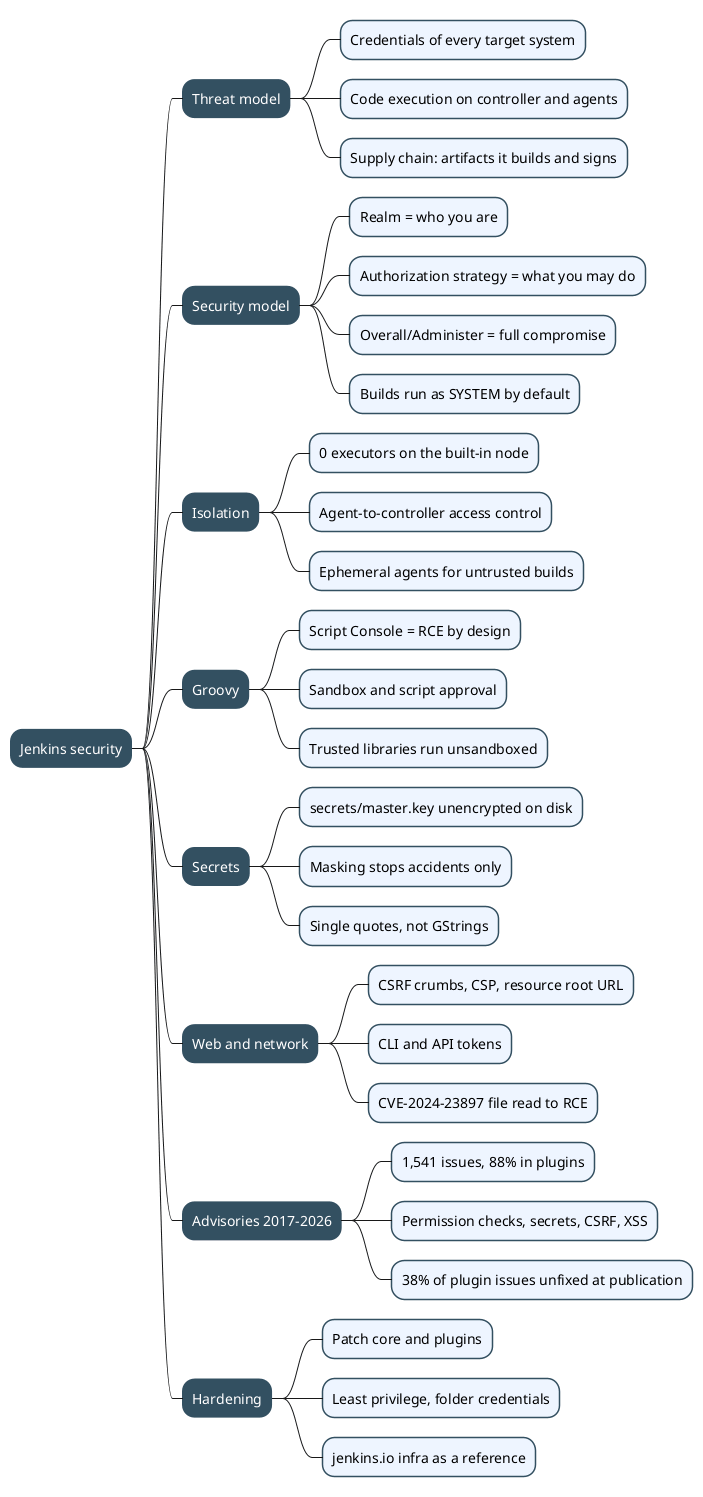
Several boundaries described above are security boundaries, and they are covered in the companion article Jenkins Security - Threat Model, Permissions, Groovy, Credentials and Nine Years of Advisories:
- the built-in node and controller isolation, the reason executors are set to 0;
- the Remoting channel and the filtering of agent-to-controller requests;
- the Groovy sandbox, script approval and trusted shared libraries;
- Stapler routing restrictions, CSRF protection and the resource root URL;
- credentials encryption with the
secrets/keys, the Script Console, and plugin vulnerabilities.
Conclusion
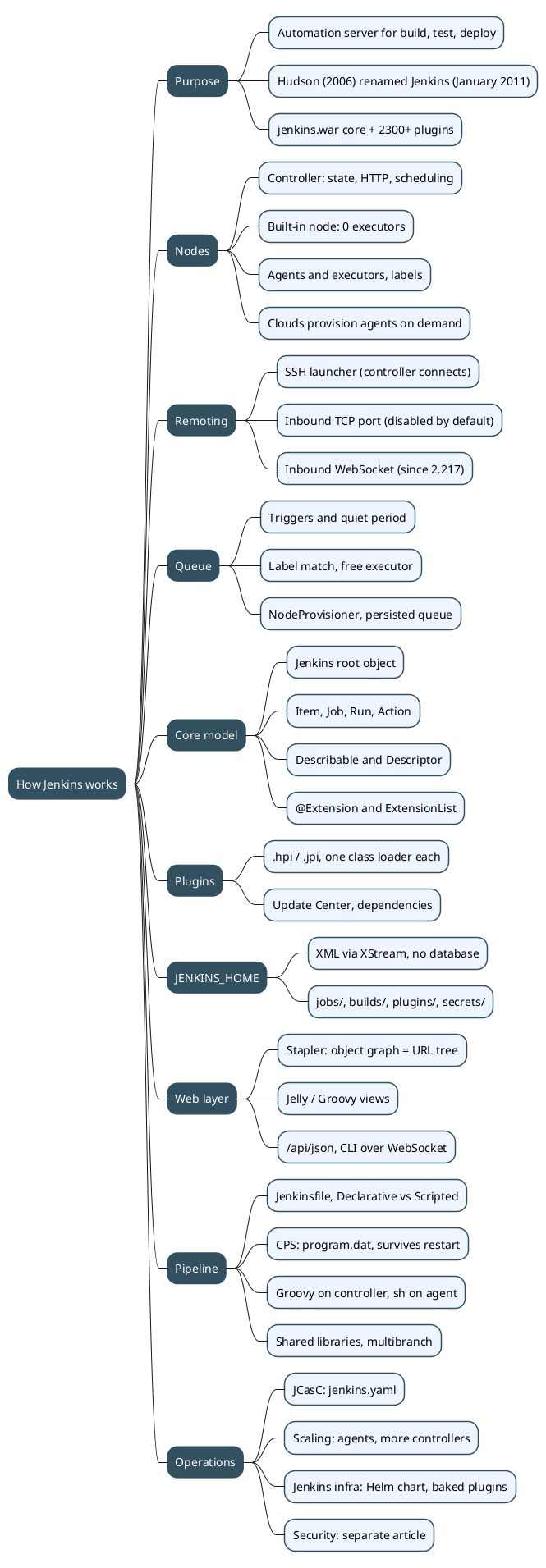
Jenkins is a Java web application whose controller holds all state and schedules work, while agents run the builds over Remoting.
- Nodes and executors. The controller, its built-in node, static agents and cloud agents are all nodes; executors are their concurrency slots, and labels decide which tasks they accept. The built-in node is set to zero executors.
- Agent connections. SSH launchers connect from the controller; inbound agents connect from outside over a TCP port that is disabled by default, or over WebSocket on the HTTP port since 2.217.
- Queue. Every build, and every
nodeblock of a Pipeline, enters the queue, waits out a quiet period, and is matched to a free executor or causes a cloud to provision one. - Model and plugins. A single
Jenkinsroot object holds items, runs, actions and Describable/Descriptor pairs. Plugins add@Extensionimplementations found through a compile-time index, each with its own class loader. - Storage and web.
JENKINS_HOMEis a tree of XStream XML files with no database, and Stapler maps URLs onto the same object graph, which is also where/api/jsoncomes from. - Pipeline. The Groovy script runs on the controller under a CPS interpreter that writes
program.datso it can resume after a restart; work in the workspace (processes and file steps) happens on agents. - Operations. JCasC rebuilds global configuration from YAML; the Jenkins project’s own controllers combine an image with pinned plugins, a Helm chart, JCasC and ephemeral agents: pods over WebSocket, plus Azure VMs over SSH on infra.ci.
Annex
Key Terms
| Term | Definition |
|---|---|
| Controller | The central Jenkins process that stores configuration, loads plugins, serves the UI and API, and schedules builds; formerly called “master”. |
| Node | Any machine or process able to run builds, either an agent or the controller’s built-in node. |
| Built-in node | The node that runs inside the controller process, with the controller’s file-system access; recommended to have zero executors. |
| Agent | A Java process, usually on another machine or in a container, that connects to the controller and runs the tasks it is sent. |
| Executor | A slot on a node that runs one task at a time; the number of executors is the node’s build concurrency. |
| Label | A free-text tag on a node, such as linux or docker, matched against a job’s label expression to choose where it runs. |
| Cloud | A configuration, provided by a plugin, that creates agents on demand (Kubernetes pods, cloud VMs) and removes them when idle. |
| Remoting | The library and JAR implementing the communication channel between the controller and agents or CLI clients. |
| Inbound agent | An agent that opens the connection to the controller itself, over a dedicated TCP port or over WebSocket; formerly called a JNLP agent. |
| Build queue | The controller’s list of tasks waiting for an executor, persisted to disk so that it survives a restart. |
| Quiet period | A delay before a queued build starts, so that several triggers arriving close together produce a single build. |
| Item / Job / Run | An item is any entity of the UI (folder, job); a job is a configured unit of work; a run (build) is one execution of a job. |
| Action | An object attached to a job, run or node that stores data and contributes a side-panel link and a URL. |
| Describable / Descriptor | A configured instance of a type, and the per-type object that creates such instances from forms or YAML, holds global settings and validates fields. |
| Extension point | An interface or abstract class modelling one aspect of Jenkins’ behaviour; plugins implement it in classes annotated @Extension. |
| Plugin (.hpi / .jpi) | A packaged extension with its own class loader, stored in JENKINS_HOME/plugins and installed from the Update Center or baked into an image. |
| JENKINS_HOME | The directory holding all controller state as XML and text files: global configuration, jobs, build records, plugins and secrets. |
| XStream | The library that serializes Jenkins’ Java objects to XML and back, used for configuration and build records. |
| Stapler | The web framework that maps each URL segment to a getter, view or action method on the Jenkins object graph. |
| Jenkinsfile | A file in the repository that defines a Pipeline in Declarative or Scripted syntax. |
| CPS (workflow-cps) | The continuation-passing-style interpreter that runs Pipeline Groovy on the controller and saves its state to program.dat so it can resume. |
| Shared library | A repository of reusable Pipeline code (vars/, src/, resources/) loaded by Pipelines; trusted libraries run outside the sandbox. |
| Multibranch Pipeline | A folder that scans a repository and creates one Pipeline job per branch or pull request containing a Jenkinsfile. |
| JCasC | The Configuration as Code plugin, which applies a YAML description of the controller’s global configuration. |
Invariants
| Invariant | Enforced by | Breaks if |
|---|---|---|
| Pipeline Groovy code runs in the controller JVM; workspace work (processes, file steps) runs on agents. | The workflow-cps interpreter, which executes the script on the controller and delegates sh/bat to the node of the enclosing block. |
Never; heavy parsing in Groovy therefore always loads the controller. |
A freestyle build, or a node / agent block of a Pipeline, only gets an executor on a node whose labels match its label expression (the Pipeline run itself is a flyweight task that consumes no node executor). |
The queue’s scheduler and the NodeProvisioner. | No node or cloud offers the label, and the task waits indefinitely (executor starvation). |
Every persisted object is reachable under JENKINS_HOME in a path that mirrors the object model. |
XStream persistence through XmlFile, one file per object. |
A plugin stores data elsewhere (external storage plugins do so on purpose), or buildsDir moves build records. |
| A running Pipeline can resume after a controller restart. | program.dat written by CPS, and shell steps run by the Pipeline: Nodes and Processes plugin on the agent. |
The durability setting is PERFORMANCE_OPTIMIZED and the controller stops uncleanly; rarely, any mode other than maximum durability when the operating system fails before buffered writes reach disk. |
| Each plugin sees core and its declared dependencies, not unrelated plugins. | The per-plugin class loader delegation. | Code uses UberClassLoader or the thread context loader to reach other plugins. |
| Configuration set by JCasC is the configuration after a restart. | The plugin re-applying jenkins.yaml at startup. |
Values are only edited in the UI, which are then lost at the next restart. |
Integration Notes
| Behaviour | What an integrator should do |
|---|---|
The REST API is the model itself, under /api/ of any URL, and expands nested objects only to a default depth. |
Use tree= to request exactly the fields needed, rather than raising depth=, which can return very large documents. |
A node block in Pipeline enters the build queue each time it is reached. |
Count queue time per node block when measuring Pipeline latency, and group work into fewer blocks. |
Plugins written against AbstractProject or AbstractBuild do not work from Pipeline. |
Accept Job and Run, implement SimpleBuildStep for build steps, and use ParameterizedJobMixIn / SCMTriggerItem for scheduling and polling and LazyBuildMixIn for lazy loading of build records. |
transient fields are not written but are still read from XML by default. |
Do not rely on transient to keep a field from being set by a submitted config.xml; see the persistence documentation. |
| The inbound TCP port is disabled by default. | Use WebSocket for inbound agents unless a dedicated port is required, and expose /jnlpJars/agent.jar through the same URL. |
In a container with overwritePlugins: true, plugins installed from the UI vanish on restart. |
Change plugins.txt and rebuild the image instead. |
Timeline
Events up to 25 November 2026.
| Date | Event | Why it matters here | Source |
|---|---|---|---|
| 29 January 2011 | The Hudson community vote closed with 214 eligible votes to rename the project Jenkins and 14 for the status quo. | It is the start of the Jenkins name, the jenkinsci GitHub organisation and the infrastructure described in the history section. |
Jenkins! (jenkins.io blog) |
| 16 June 2011 | Jenkins 1.409.1 shipped as the first Long-Term Support release, branched from weekly 1.409 and limited to backported fixes. | It created the weekly and LTS release lines that the article’s version numbers refer to. | Jenkins Long-Term Support Release (jenkins.io blog) |
| 3 December 2014 | The Workflow plugin, a Groovy DSL whose runs can be suspended and resumed across a controller restart, reached version 1.0. | Workflow became Pipeline, whose plugin IDs such as workflow-cps keep the old name, and its resumable execution is what the CPS section describes. |
Workflow plugin is 1.0 (jenkins.io blog) |
| 26 April 2016 | Jenkins 2.0 was released with Pipeline built in and a setup wizard that installs a suggested set of plugins. | It put Pipeline into the default installation and replaced the plugins bundled with the core by a suggested set chosen in a setup wizard. | Jenkins 2.0 is here! (jenkins.io blog) |
| 3 February 2017 | Declarative Pipeline syntax 1.0 was released as part of Jenkins Pipeline. | It added the Declarative form that the Pipeline section compares with Scripted Pipeline. | Declarative Pipeline Syntax 1.0 is now available (jenkins.io blog) |
| 23 January 2020 | Weekly 2.217 added experimental WebSocket support for inbound agents and the CLI (JEP-222). | Inbound agents could from then on connect over the controller’s HTTP(S) port instead of a dedicated TCP port. | Changelog for 2.217, WebSocket (jenkins.io blog) |
| 17 August 2021 | Weekly 2.307 replaced “master” with “controller” or “built-in node” and added a migration for the built-in node’s name and label. | It introduced the controller and built-in node terms used throughout the article, and the built-in label. |
Changelog for 2.307 |
| 18 June 2024 | Weekly 2.463 began requiring Java 17 or newer on the controller and on agents. | The Java requirement applies to both ends of the Remoting channel, not to the JDK used to build projects. | Jenkins requires Java 17 or newer (jenkins.io blog) |
| 4 September 2024 | Weekly 2.475 moved the core from Java EE 8 to Jakarta EE 9 and from Spring Security 5.8 to 6.3. | Plugins see the core’s libraries first, so several of them and every third-party servlet container had to move to EE 9 in step with the core. | Changelog for 2.475 |
| 6 January 2026 | Weekly 2.545 began requiring Java 21 or newer, a change that reached the LTS line in 2.555.1 on 15 April 2026. | Controllers and agents of current releases, including the container images in the last section, run on Java 21 or later. | Changelog for 2.545, Changelog for 2.555.1 |
Frequently Asked Questions
Q: What is the difference between the controller, the built-in node and an agent?
The controller is the Jenkins process: it holds configuration and build history, serves the UI and API, and schedules work. The built-in node is a node that lives inside that process, so a build running on it has the controller’s file-system access, including JENKINS_HOME. An agent is a separate process, usually on another machine or in a container, connected over Remoting. The recommended setup gives the built-in node zero executors, so all builds run on agents.
Q: An agent sits behind NAT and the controller cannot open a connection to it. Which launch method fits, and what has to be open?
An inbound agent, because the agent opens the connection. It needs a route to the controller URL. Over WebSocket, available since Jenkins 2.217 on the Jetty container, the agent uses the controller’s normal HTTP(S) port, so no other port is required. Over the TCP transport, the controller’s inbound agent port must also be enabled and reachable, since it is disabled (-1) by default.
Q: Why does a heavy JsonSlurper call in a Jenkinsfile slow down every build on the instance, even though the job runs on an agent?
Because Pipeline Groovy always executes on the controller, inside the CPS interpreter; only steps such as sh run on the agent. Parsing a large file in Groovy loads it into controller memory (twice, according to the best-practices page) and uses controller CPU, which every other job shares. The fix is to process the file in an sh step on the agent and return only the result.
Q: How does a Pipeline survive a controller restart, and when does it not?
The workflow-cps plugin transforms the script into continuation-passing style, so its execution state is an object that it writes to program.dat in the build directory. Shell steps run as processes on the agent through the Pipeline: Nodes and Processes plugin. After the restart, the Pipeline is loaded from program.dat and continues.
It may not resume if the durability setting is PERFORMANCE_OPTIMIZED and the controller stopped uncleanly (SIGKILL, out-of-memory killer), because state was not written at every step. In every mode except maximum durability, an operating-system failure can also lose buffered writes and, in rare cases, leave a build that cannot be loaded. A graceful shutdown persists state in every mode.
Q: How does a request to /job/foo/1/api/json reach Java code?
Stapler starts at the Jenkins root object and resolves each segment by reflection: job/foo calls getJob("foo"), 1 calls the job’s getDynamic("1", ...) to get the build, and api reaches the API object exposed for that build, which renders the build’s exported properties as JSON. Objects implementing StaplerProxy can intercept the walk, which Jenkins uses to check permissions. stapler.trace shows the route in response headers.
Q: The Jenkins project’s controllers set installPlugins: false, overwritePlugins: true and numExecutors: 0. What does each setting achieve?
Each one closes a different way for the running controller to drift from its definition:
installPlugins: falsestops the Helm chart from downloading plugins at startup, so the plugin set comes only from the image built fromplugins.txt.overwritePlugins: truedeletesJENKINS_HOME/pluginsat each pod restart, so a plugin added by hand from the UI does not survive.numExecutors: 0removes the built-in node’s executors, so every build runs on an agent rather than in the controller’s process: a pod, or on infra.ci a single-use Azure VM.
Together with JCasC, the controller can be rebuilt from Git, the image and the encrypted secrets.
Gaps
Several internals are not documented on jenkins.io, or only as stubs, and some facts in this article come from outside the docs that were read.
| Gap | Why it matters | What to read or verify |
|---|---|---|
The developer page on scheduling is an empty stub, so the internal queue states and extension points (QueueTaskDispatcher, LoadBalancer, the flyweight task that carries a Pipeline’s own run, beyond the one-line notes in the system-properties page and the weekly changelog) are not described here. |
Queue internals are what one reads when debugging builds stuck in the queue. | hudson.model.Queue in jenkinsci/jenkins (core/src/main/java/hudson/model/Queue.java) and the Jenkins Javadoc. |
Remoting internals (how work is serialized, remote class loading, the JNLP4-connect handshake) are not in the docs read, which only link the Remoting README. |
They explain agent performance and the agent-to-controller boundary. | The jenkinsci/remoting README and its docs/ folder. |
The split between Node (configuration) and Computer (runtime state) and the @ExportedBean / @Exported mechanism behind /api/ are only mentioned in passing in the docs; the article does not detail them. |
Readers following the model into the code meet these classes first. | hudson.model.Computer, hudson.model.Node and org.kohsuke.stapler.export in the Jenkins Javadoc. |
The startup sequence (InitMilestone order) and when JCasC is applied within it are not documented (the initialization page is a stub). |
Ordering between plugins, JCasC and init scripts decides which configuration wins. | jenkins.InitMilestone in the Jenkins Javadoc and the configuration-as-code plugin documentation. |
How durable tasks keep sh steps running during a restart is stated in the docs but its mechanism is not described. |
Matters when a step’s output is lost after a restart. | The durable-task plugin and workflow-durable-task-step plugin READMEs. |
| The 2006 founding year comes from the project’s Google Season of Docs applications, and the Sun/Oracle background from 2011 blog posts, not from a dated history page. | The history paragraph rests on them. | content/sigs/docs/gsod/2021/organization-proposal.adoc and the 2011 rename post in the jenkins.io repository. |
The infra.ci.jenkins.io controller runs an image (jenkinsciinfra/jenkins-infraci) built from a repository that was not read; the image analysis covers docker-jenkins-lts used by release.ci.jenkins.io. |
The infra.ci plugin list may differ from the 121 plugins quoted. | The jenkins-infra organization on GitHub, searching for the jenkins-infraci image source. |
The encrypted values (secrets/, sops), the jenkins-infra/helm-charts and pipeline-library repositories were not read. |
Agent pod templates and shared-library code are part of the real setup. | jenkins-infra/helm-charts and jenkins-infra/pipeline-library. |
| Version-dependent facts (WebSocket agents since 2.217, CLI WebSocket default since 2.391, built-in node rename in 2.307, image and plugin versions) were read on 2026-11-17. | They change with each release, and the infra repositories change weekly through updatecli. | content/doc/book/managing/system-properties.adoc, the changelogs in the jenkins.io repository, and the pinned commits below. |
| The agent size quoted from the node documentation (“a small (170KB single jar)”) may be out of date; it is a documentation figure, not a measurement. | The number gives a reader a sense of how light an agent is. | The size of agent.jar served at /jnlpJars/agent.jar by a current controller, and content/doc/book/managing/nodes.adoc in the jenkins.io repository. |
Four statements come from general knowledge, not from the local documentation: the remote API’s tree= parameter, the multibranch orphaned-item strategy, JCasC binding through @DataBoundSetter, and Oracle’s acquisition of Sun as the background of the Hudson dispute. |
They are widely documented but were not checked against a source read for this article. | The /api/ help page of a running controller, the Branch API plugin documentation, the configuration-as-code plugin’s developer documentation, and the 2011 project blog posts. |
| The scaling equations come from the scaling guide without the data they were derived from. | They are rules of thumb, not measured limits. | Architecting for Scale and a load test on the actual workload. |
References
Analyzed source
- jenkins-infra/jenkins.io (documentation source) — analyzed at commit
39e4020b363558216017486859a0198b8be59e79, 2026-11-17 - jenkins-infra/kubernetes-management — analyzed at commit
d18af889d084eb105413cffbdf78d7d6db6ad5e3, 2026-11-17 (clusters/privatek8s-sponsored.yaml,config/privatek8s-sponsored/infra.ci.jenkins.io.yaml,config/privatek8s-sponsored/release.ci.jenkins.io.yaml,config/publick8s-sponsored/weekly-ci-jenkins-io.yaml) - jenkins-infra/docker-jenkins-lts — analyzed at commit
5f3ffd3f3f68f08ca7a322b297ac20f3f8ae5337, 2026-11-17 - jenkins-infra/docker-jenkins-weeklyci — analyzed at commit
58375fbbd2168f98a998f6c2a8980a0566cc50bb, 2026-11-17
Jenkins User Handbook
- Jenkins documentation overview
- Glossary
- Installing Jenkins (release lines)
- Managing Nodes
- Built-in node migration
- Using Jenkins agents
- Executor starvation
- Managing Plugins
- Jenkins CLI
- Remote Access API
- Configuration as Code
- Features controlled by system properties
- Weekly changelog
- Architecting for Scale
- Scaling Jenkins on Kubernetes
- Pluggable storage
- Pipeline, Pipeline Syntax, Branches and Pull Requests, Extending with Shared Libraries
- Pipeline Best Practices, Scaling Pipelines, Pipeline CPS Method Mismatches
Jenkins Developer Guide
- Architecture and Model
- Extensions and Plugins
- Remoting
- Plugin development and Dependencies and Class Loading
- Writing Pipeline-compatible plugins
- Persistence
- Routing Requests and Stapler reference documentation
History
- Hudson’s future, jenkins.io blog, 11 January 2011
- Jenkins!, jenkins.io blog, 29 January 2011
Timeline sources
- Jenkins Long-Term Support Release, jenkins.io blog, 16 June 2011
- Workflow plugin is 1.0, jenkins.io blog, 3 December 2014
- Jenkins 2.0 is here!, jenkins.io blog, 26 April 2016
- Declarative Pipeline Syntax 1.0 is now available, jenkins.io blog, 3 February 2017
- WebSocket, jenkins.io blog, 2 February 2020
- Jenkins requires Java 17 or newer, jenkins.io blog, 11 June 2024
- Changelog for 2.217, Jenkins project, 23 January 2020
- Changelog for 2.307, Jenkins project, 17 August 2021
- Changelog for 2.475, Jenkins project, 4 September 2024
- Changelog for 2.545, Jenkins project, 6 January 2026
- Changelog for 2.555.1 (LTS), Jenkins project, 15 April 2026
Related articles
- Jenkins Security - Threat Model, Permissions, Groovy, Credentials and Nine Years of Advisories
- How GitHub Dependabot Works: From an Update Job to a Pull Request
- Isolating Untrusted Build Tools: How Dependabot’s Credential Proxy Works
- Linux Isolation Primitives - Defense in Depth Beyond the Castle Model
- Docker en bref
You might also enjoy